
Track influencer attribution in Google Analytics 4 by giving every creator placement a tagged link, recording meaningful conversion events, and reporting results by campaign and creator. Use session acquisition reports to measure tagged visits, then examine key-event attribution separately. This connects recorded clicks to recorded outcomes; it does not prove that every attributed conversion happened because of the influencer.
- To track influencer attribution, Google Analytics needs tagged creator links, meaningful key events, and consistent campaign names.
- Separate session acquisition from key-event attribution: they answer different questions.
- Use your CRM for qualified pipeline and app attribution tools for install journeys.
- UGC Scout fits tech teams seeking done-for-you creator production and posting, not a standalone analytics product.
Why this matters
A creator can generate visits without generating qualified demand. A creator can also influence a buyer who later returns through search, leaving no creator click in the recorded journey.
Your report must separate observed traffic, attributed conversions, and proven incremental impact. Those are different claims. For SaaS and mobile app teams evaluating UGC Scout, the measurement brief belongs alongside the content brief—not after publishing.
In 2026, a useful influencer dashboard starts with the business outcome you need to measure. Views explain distribution. Completed signups, qualified demos, and purchases explain what happened after someone reached your product.
How do you track influencer attribution in Google Analytics?
Use this sequence for your 2026 setup. Finish the tracking test before a creator publishes, because missing campaign parameters and missing events leave gaps you cannot reliably reconstruct afterward.
1. Choose the outcome
Pick the action that represents progress for the campaign. For a SaaS acquisition campaign, that might be a completed signup or submitted demo request. For a mobile app campaign, distinguish a website visit from an app install and an in-app activation.
Use established event names where they match the action, such as sign_up, generate_lead, or purchase. Send the event when the action succeeds, not merely when someone presses the submit button.
Mark meaningful business events as key events. Do not treat every page view as equivalent to a qualified lead. Keep diagnostic actions, such as watching an embedded video, separate from the primary outcome.
2. Set a campaign naming convention
Use a shared naming sheet before anyone builds links. Include the creator identifier, platform, placement, campaign, destination, and final tagged link.
A practical convention separates platform acquisition from creator identity:
| Parameter | Suggested example value | What it identifies |
|---|---|---|
utm_source | linkedin | The platform sending the visit |
utm_medium | social | The distribution medium for an organic social placement |
utm_campaign | demo_launch_2026 | The campaign shared across participating creators |
utm_content | creator_alex_demo | The creator and creative variation |
utm_id | Your stable internal campaign identifier | The campaign record used across systems |
These are suggested naming values, not campaign results. Keep spelling and capitalization consistent; inconsistent values split reporting into separate rows.
Use non-personal creator identifiers. Do not put viewer email addresses, customer names, or other personally identifiable information into tracking parameters.
3. Give every placement a distinct tagged link
Tag the destination the viewer actually opens. If a creator publishes a LinkedIn post and a separate profile link, distinguish those placements rather than assigning both the same content value.
For a 15–45-second creator video, the measurement brief should specify where the clickable destination lives. A spoken call to action without a tagged destination does not create a trackable creator click.
Do not add campaign UTMs to links between pages on your own site. They are acquisition labels, not a tool for measuring internal navigation; use events for internal interactions instead.
4. Test the complete journey
Open the exact link the creator will publish. Check that redirects preserve its query parameters and that the landing page loads correctly.
Use Realtime and DebugView to inspect test activity, with debug mode enabled where required. Complete the intended action and verify that the corresponding event fires correctly. A working page view is not proof that signup tracking works.
Also test consent behavior, embedded forms, checkout transitions, and separate signup domains where those apply. Configure cross-domain measurement for eligible domains in the same journey rather than assuming continuity happens automatically.
5. Read acquisition and attribution separately
Start with Reports > Acquisition > Traffic acquisition to inspect session-level acquisition. Use session source/medium and session campaign to find visits associated with the tagged campaign.
For creator-level analysis, use the relevant manual content dimension in an exploration, such as Session manual ad content. Configure the exploration around the session question you are answering rather than mixing unrelated user-, session-, and event-scoped dimensions.
Then use the attribution reports available in the property's Advertising workspace to examine how eligible touchpoints receive key-event credit. Report names and access depend on the property's configuration and permissions.
6. Connect qualified outcomes
For SaaS, carry campaign and creator identifiers into your lead or signup records through your own implementation. Define how those fields persist, whether subsequent touches overwrite them, and which record owns the acquisition history.
Join those records to qualified opportunities and customers in your CRM or reporting system. Google Analytics does not know that a demo became qualified pipeline unless your implementation connects the relevant information.
For mobile apps, treat app-store transitions as a separate measurement problem. A tagged website visit does not automatically identify the resulting install or connect it to later app activity.
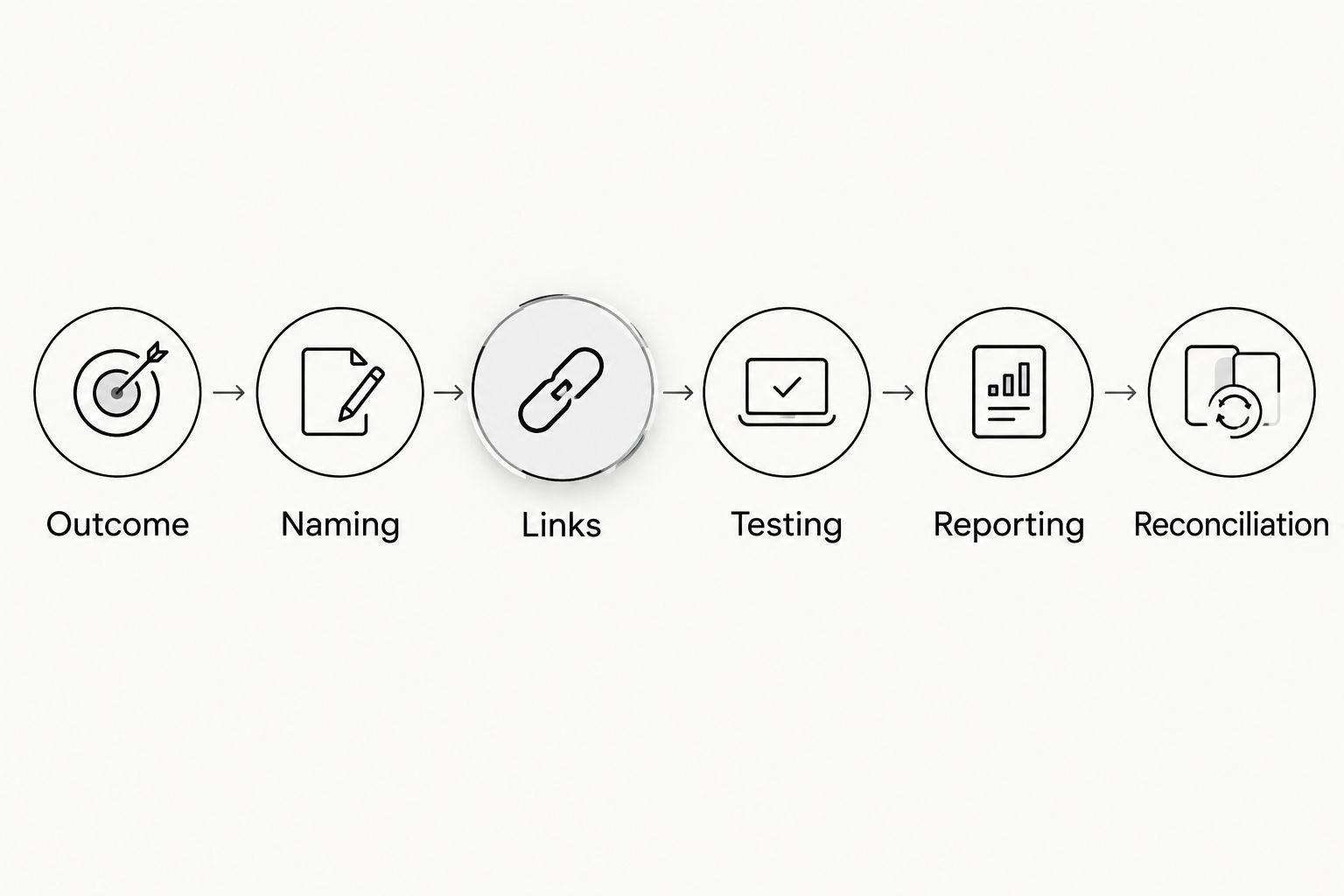
The sequence is simple: Outcome, Naming, Links, Testing, Reporting, Reconciliation. Keep those stages connected so a creator identifier survives from the publishing brief to the business report.
Which attribution view should you use?
Use session acquisition to assess visits, event attribution to assess conversion credit, and CRM records to assess qualified pipeline. No single view answers all three questions.
For your 2026 reporting, state the scope beside every result. A label such as “creator-driven signups” is ambiguous unless the report explains whether it means signups during tagged sessions or attribution credit assigned across a recorded journey.
| Measurement approach | Best for | Advantage | Limitation |
|---|---|---|---|
| GA4 session acquisition | Comparing tagged creator visits | Connects recorded sessions to campaign labels | Does not capture every earlier influence |
| GA4 key-event attribution | Examining conversion credit | Considers eligible recorded touchpoints under the selected model | Credit depends on settings and observable journeys |
| CRM campaign records | Evaluating qualified SaaS pipeline | Connects marketing records with sales outcomes | Depends on reliable capture and record matching |
| App attribution setup | Evaluating installs and in-app actions | Addresses mobile acquisition journeys | Requires implementation beyond website UTMs |
| Controlled lift testing | Assessing incremental impact | Tests outcomes against a comparison condition | Requires a suitable experimental design |
Do not choose a winner by whichever view gives a creator the largest number. Choose the view that answers the decision, then apply it consistently.
Session acquisition: best for tagged visits
Session acquisition answers which source brought a recorded session. It is the right starting point for checking whether a creator's destination link generated visits and whether those visitors engaged with the intended page.
Its weakness is scope. A session report is not a complete history of everything that persuaded the visitor.
Key-event attribution: best for conversion credit
Key-event attribution assigns credit across eligible recorded interactions according to the applicable model and settings. It helps you examine conversion journeys rather than stopping at the arrival session.
Its weakness is observability. Unrecorded exposure, consent restrictions, and disconnected devices limit what the report can include. Attribution credit is not proof of causation.
CRM reconciliation: best for qualified pipeline
CRM reconciliation answers whether recorded leads became qualified opportunities or customers. It is especially useful when the signup or demo submission is only the beginning of the buying process.
Its weakness is data continuity. If creator identifiers disappear before the lead record is created, the CRM cannot restore them from a dashboard label.
Why influencer attribution varies
Different totals do not automatically mean tracking is broken. In 2026, investigate these factors before judging creator performance:
- Report scope: First-user acquisition, session acquisition, and key-event attribution describe different parts of a journey.
- Attribution settings: The selected model and applicable lookback windows affect which interactions receive credit.
- Consent and browser restrictions: Measurement depends on the implementation and the signals available under the visitor's consent choices.
- Cross-device behavior: A mobile click and a later desktop signup are not automatically a connected user journey.
- Link handling: Redirects, copied links, and untagged destinations affect whether campaign parameters reach the landing page.
- Sales-cycle length: A recent campaign can have recorded visits before its leads reach a qualified sales stage.
Document changes to tracking and attribution settings. Otherwise, a reporting change can look like a performance change.
How do you separate creator performance from creative performance?
Creator performance and creative performance need separate identifiers. A creator's audience distribution and a video's effectiveness in paid advertising are different tests.
Keep the creator identity in your reporting, but distinguish organic posts from paid distribution. If a video moves into paid social, apply the paid campaign's naming convention rather than reusing the organic post's link unchanged.
A practical report includes creator, asset, platform, distribution type, destination, and outcome. That structure lets you compare an organic placement with a paid reuse without pretending they reached the same audience under the same conditions.
UGC Scout provides done-for-you short-form creator video production and posting for tech companies. That service fit does not establish who owns analytics implementation; confirm ownership of links, events, testing, and reporting before work starts.
What should your influencer report include?
Your influencer report should connect distribution to visits, meaningful actions, and business outcomes. Keep each stage visible rather than compressing everything into a single performance score.
Use a recommended 7-day operational review to catch broken links and missing events. Use a separate 28-day comparison for campaign trends, then evaluate qualified pipeline on a timeline that reflects your actual sales cycle. These are review cadences, not conversion benchmarks or attribution windows.
Include these fields:
- Publishing record: Creator, asset, platform, placement, and publication date.
- Acquisition record: Tagged sessions and the campaign values used to identify them.
- Conversion record: Completed primary actions and the measurement scope used.
- Qualification record: Qualified leads, opportunities, and customers where connected records exist.
- Interpretation note: Known tracking gaps, setting changes, and incomplete sales outcomes.
Avoid adding platform-reported views to GA4 sessions. They measure different activities. Present them alongside each other with clear labels instead.
FAQ
Can Google Analytics track individual influencers?
Google Analytics can distinguish recorded traffic from individual influencers when tagged links carry consistent creator identifiers. Use campaign parameters and the appropriate reporting dimensions; an untagged mention does not automatically identify the creator.
Should I put the influencer's name in utm_source?
Use the platform in utm_source and a non-personal creator identifier in utm_content when you want platform-level acquisition and creator-level detail. This is a naming convention, not a requirement; apply your chosen structure consistently.
Why do influencer clicks and Google Analytics sessions disagree?
Influencer clicks and Google Analytics sessions measure different activities. Repeated clicks, consent choices, blocked measurement, redirects, and visits that never finish loading can produce different totals.
Can GA4 track influencer-driven app installs?
Website UTMs alone do not establish influencer-driven app installs in GA4. App measurement and an appropriate attribution setup are needed to address the install journey and subsequent in-app activity.
Does data-driven attribution prove that an influencer caused a sale?
Data-driven attribution does not prove that an influencer caused a sale. It allocates credit using available journey data; incremental impact requires a suitable comparison or experiment.
What should a SaaS team count as an influencer conversion?
A SaaS team should count a clearly defined business action, such as a completed signup or submitted demo request, and track qualification separately. Firing an event on a button click alone does not confirm successful completion.
Does hiring UGC Scout replace setting up Google Analytics?
Hiring UGC Scout for creator production and posting does not by itself establish an analytics implementation. Agree on responsibility for campaign links, event validation, CRM capture, and reporting before publishing.
One last thing
Test the destination after the creator places the link, not just when your team generates it. The published destination is the one viewers use. A correct spreadsheet entry does not protect you from a changed profile link or a redirect that drops campaign parameters.
Make that final check part of every 2026 publishing handoff. It is a small operational step that protects the connection between the content you commissioned and the outcomes you can actually measure.