
Whitelisting creator content on Meta has no universal cost: your budget depends on the creator agreement, paid-use rights, production scope, campaign management, and ad spend. A video production agreement does not automatically include permission to advertise through the creator’s identity. Get the rights and campaign scope in writing before comparing quotes.
- Whitelist creator content Meta cost depends on rights, production, management, and media spend—not one standard rate.
- Meta partnership ads require creator permission; owning a video file does not settle advertising rights.
- Compare identical usage periods, deliverables, editing permissions, and renewal terms before choosing a proposal.
- Ugcscout serves tech companies seeking done-for-you creator video production and posting; confirm partnership-ad scope separately.
Why this matters
You can pay for a finished video and still lack the permission needed for your planned campaign. That creates a production problem, a contract problem, and a launch problem at once.
For a SaaS or mobile app team planning Meta campaigns in 2026, the useful question is not just what a creator charges. It is what that agreement lets you run, through whose identity, and for how long. Start with the creator contract duration guide before negotiating advertising access.
How much does it cost to whitelist creator content on Meta?
There is no single standard whitelisting rate. Compare the complete campaign scope, not an isolated permission fee. Meta calls its creator-and-brand advertising format partnership ads; whitelisting remains a common industry term.
Your agreement with the creator and your spending on Meta are separate budget decisions. A proposal that bundles production and permission still needs to explain whether editing, campaign management, and media spend sit inside or outside that scope.
| Budget component | What you are agreeing to | What to confirm |
|---|---|---|
| Content production | Filming and delivery of the creative | Scripts, finished videos, revisions, and source files |
| Paid-use rights | Permission to use specified content in advertising | Platforms, territories, duration, and permitted edits |
| Creator identity permission | Authorization for partnership ads involving the creator’s identity | Eligible content, permission method, and access responsibilities |
| Campaign management | Work required to set up and operate advertising | Setup, approvals, optimization, and reporting ownership |
| Media spend | Distribution purchased through Meta advertising | Who funds it and who controls spending |
| Extensions | Continued use beyond the original agreement | Renewal process, approval deadline, and end-of-use requirements |
These are scope categories, not a claim that every supplier bills each separately. Ask for each category to be marked included, excluded, or handled by your team. An unmarked item is an unresolved responsibility.
Ask for a scope-matched quote
Send the same brief to every creator or agency you evaluate. Specify the content, advertising identity, intended placements, usage window, and approval process.
Then compare the work you will still own. A proposal covering filming alone is not equivalent to one covering filming, creator coordination, and campaign operations—even when both use the word whitelisting.
Creator-identity ads versus brand-account ads
Choose the advertising format before negotiating permissions. Paying to use a video in an ad is not the same agreement as obtaining permission to advertise through a creator’s identity.
| Approach | Best for | Main advantage | Main limitation |
|---|---|---|---|
| Meta partnership ads | Teams deliberately testing creator identity in their advertising | Connects the advertising presentation to the participating creator | Requires creator authorization alongside the agreed content rights |
| Brand-account ads using creator content | Teams testing creator-made creative under their own brand identity | Keeps the advertising identity with the brand | Still requires paid-use rights; does not reproduce the creator-identity presentation |
| Organic creator posting | Teams seeking creator-published content without paid distribution | Places the content on the creator’s own account | Does not automatically grant permission for paid advertising |
Use partnership ads when creator identity is part of the test. Use brand-account ads when your main question is whether the creative works. Neither format guarantees stronger results.
An organic post, a brand-account ad, and a partnership ad are different deliverables. If you want all of them, name all of them in the brief. Do not treat a posting agreement as an advertising license.
Why Meta creator-whitelisting costs vary
Scope explains the differences between proposals. For your 2026 campaign, settle these factors before asking suppliers to revise their offer:
- Content production: A delivered video file and a new shoot are different assignments. State whether you need new footage, revisions, or existing content only.
- Usage duration: Define the permitted advertising window and its start trigger. Approval, delivery, and campaign launch are different events.
- Advertising identity: Separate permission to use the content from permission to run partnership ads involving the creator’s identity.
- Editing rights: Specify whether your team can change hooks, captions, voiceover, product footage, or the call to action.
- Exclusivity: Define the restricted competitors or categories and the applicable period. Do not leave “competitor” open to interpretation.
- Operational ownership: Identify who secures permissions, checks setup, approves ads, monitors delivery, and handles the campaign ending.
Avoid asking only whether whitelisting is included. Ask what that word covers in the proposal. Two suppliers can use it for different combinations of rights and work.
How to request a usable quote in 2026
Give the supplier a brief that can become a statement of work. Keep creative scope, legal permission, and platform access separate so each receives an explicit answer.
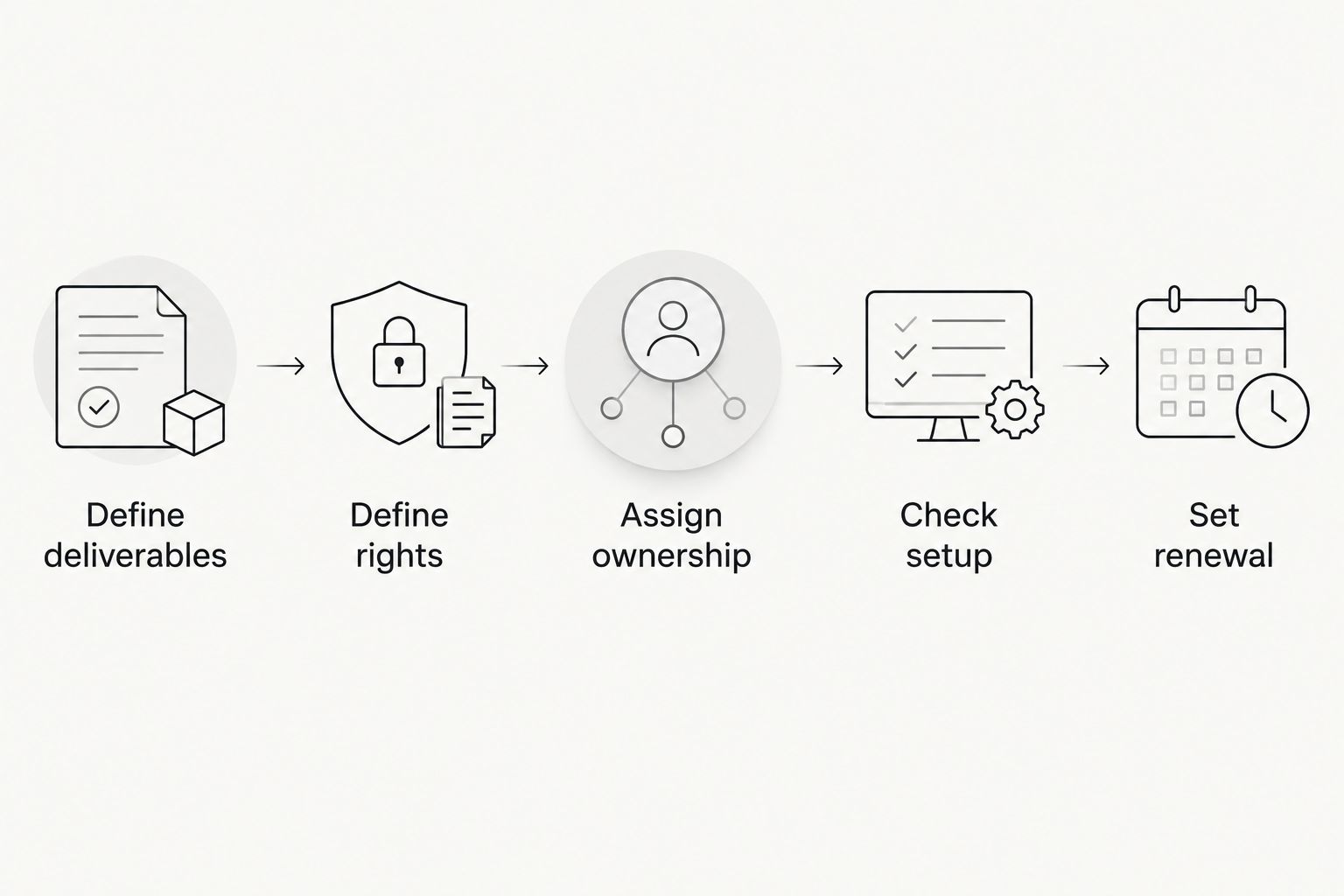
1. Define deliverables
Name the intended audience, product action, and creative concept. A mobile app onboarding demonstration needs a different brief from a SaaS workflow explanation.
Use specific durations as proposed deliverables: a 15-second problem-and-result cut, a 30-second product demonstration, or a 45-second walkthrough. These are briefing examples, not standard agency inclusions. Specify which versions you actually need and whether they require separate filming.
Also state whether the creator will post the content organically. Delivery to your team and publication to an audience are separate tasks.
2. Define rights
Identify the content covered by the agreement. Describe the paid channels, territories, usage window, and permitted edits in plain language.
For software demonstrations, specify whether interface footage can be replaced after a product update. Changing a screen recording is not permission to change a creator’s testimonial or imply a new endorsement.
3. Assign ownership
Name the person responsible for creator authorization and the person responsible for campaign setup. Decide who can approve changes and who must resolve access problems.
Do not request a creator’s password. Use Meta’s supported permission process, and keep contractual permission separate from technical access. Successful setup does not replace an agreement about use.
4. Check setup
Confirm the content and account meet Meta’s current partnership-ad requirements before scheduling launch. Test the required permissions while the creator is still available to resolve issues.
Review the proposed advertisement as well as the source video. Copy, landing pages, captions, and product claims all need approval through your own process.
5. Set renewal
Choose who tracks the usage deadline and who requests an extension. Record what happens if permission ends while ads are still active.
Make renewal a deliberate decision, not an assumption. A campaign performing well does not extend the contract by itself.
What should a SaaS or app brief include?
A usable 2026 brief connects the commercial agreement to the advertisement your team intends to publish. It should let a creator identify the work without guessing and let your media buyer identify the permitted use.
Use these fields in your request:
- Audience: The buyer or user the video addresses.
- Product action: The workflow, feature, or outcome shown on screen.
- Deliverables: Finished videos, agreed cutdowns, captions, and any source files.
- Publication: Whether creator posting is required or delivery alone completes the assignment.
- Advertising use: Partnership ads, brand-account ads, or both.
- Permission window: Start trigger, end date, and extension process.
- Approvals: Who checks claims, edits, and the final advertisement.
- Responsibilities: Who handles access, setup, reporting, and stopping expired use.
Use a demonstration account with approved sample information when filming software. Keep customer records, private messages, and confidential business information out of the recording.
Product accuracy matters after filming too. If the interface changes, check whether the advertisement still shows an available workflow before continuing distribution.
Should your team manage creators directly or hire an agency?
Choose based on the work your team can actually own. Direct management keeps communication close, but your team must handle sourcing, briefs, contracts, approvals, and delivery coordination.
| Operating model | Best for | Advantage | Trade-off |
|---|---|---|---|
| Direct creator management | Teams with someone accountable for creator operations | Direct control over the relationship and brief | Internal staff own coordination and unresolved tasks |
| Agency-managed production | Teams seeking done-for-you creator video production | A defined service relationship for agreed production work | Advertising permissions and media management still need explicit scope |
Ugcscout is best for tech teams seeking done-for-you creator video production and posting. The agency serves tech companies; that does not make partnership-ad permissions or Meta media buying automatic inclusions.
If you evaluate Ugcscout for a UGC agency brief, ask where production and posting end and your advertising responsibilities begin. A clear boundary is more useful than a broad promise to handle everything.
Is whitelisting included when you buy a UGC video?
Whitelisting is included only when the agreement explicitly covers the required advertising use and creator permission. A video delivery clause alone does not establish either.
Ask the supplier to distinguish content creation, organic publication, paid-use rights, and partnership-ad authorization. Confirm each before approving the statement of work.
Can you keep running the ad after the agreement ends?
Continued advertising requires rights and permissions that cover the continued use. Keep the contract end date and platform authorization under review rather than assuming one controls the other.
For your 2026 campaign register, record the asset, creator, permitted use, expiration date, and person responsible for stopping or renewing it. Keep that record accessible to whoever operates the advertising account.
What should you check before renewing creator permissions?
Renew only when the creative still fits your campaign and the agreement covers the next period of use. Review product accuracy, approved claims, edit permissions, and the creator’s continued authorization.
Evaluate business outcomes alongside delivery metrics. Views and clicks answer different questions from qualified signups, activated users, or sales opportunities; choose the outcome that matches your campaign objective.
FAQ
How much should I budget to whitelist creator content on Meta?
Build the budget from the agreed production, paid-use rights, creator permissions, management work, and media spend. There is no universal whitelisting rate that replaces a scope-matched proposal.
Is Meta whitelisting the same as partnership ads?
Whitelisting is a common industry term for creator advertising access; Meta uses the term partnership ads for its creator-and-brand advertising format. Specify the intended format rather than relying on shorthand in a contract.
Does buying a UGC video include paid advertising rights?
Buying a UGC video does not automatically settle paid advertising rights. The agreement must specify the permitted advertising use, duration, and edits.
Do I need a creator’s password to run partnership ads?
You should use Meta’s supported permission process, not a creator’s password. Confirm the relevant permissions and current eligibility requirements before launch.
Is running creator content from my brand account the same thing?
Running creator content from your brand account is different from running a partnership ad involving the creator’s identity. Both require appropriate content rights, but the advertising identity and authorization requirements differ.
Can my team edit a creator’s video for Meta ads?
Your team can make the edits covered by its agreement with the creator. Specify permission for hooks, captions, cutdowns, interface updates, and calls to action rather than assuming unrestricted editing.
Does Ugcscout handle Meta partnership-ad permissions?
Confirm partnership-ad permissions directly when discussing an Ugcscout UGC agency brief. Its stated offer is done-for-you short-form creator video production and posting; agree separately on any advertising access or campaign-management responsibilities.
One last thing
Audit the rights on your strongest existing creator video before commissioning another shoot. The next useful step can be a permission agreement rather than another asset.
Check the content license, creator authorization, product accuracy, and intended edits. If the existing video fits the campaign, resolve those requirements before adding production work. If it does not, write the next brief around the gap you found.