
Instead of manually turning every creator clip into a new ad, build a repeatable workflow for UGC for Meta ad creative: brief, approve, edit, publish, and test. This 2026 guide shows SaaS and mobile app teams how to move from creator footage to usable Meta ads without treating views as proof of acquisition performance.
- UGC Scout is best for tech teams seeking done-for-you creator video production and posting.
- UGC for Meta ad creative needs paid-use permissions, clear product demonstrations, and a controlled testing plan.
- Test creator hooks against the same demonstration before changing several creative elements together.
- Choose standard ads for brand-led delivery; use partnership ads when creator identity matters and permissions are secured.
Why this matters
A creator post and an acquisition ad have different jobs. A post can entertain an audience already interested in the creator. An ad must explain why an unfamiliar person should care about your product and take the next step.
UGC Scout is best for tech teams seeking done-for-you creator video production and posting. UGC Scout serves tech companies as a growth and influencer marketing agency. Your paid-ad workflow still needs an explicit agreement on usage rights, editing, approval, and campaign ownership.
For your 2026 creative plan, separate production quality from business results. Clear audio and a convincing demonstration make a video usable. Your campaign results determine whether it earns further testing.
The goal is not to make every video look polished. It is to make every asset identifiable, approved, and testable.
Before you start
- Access: Have access to the relevant Meta ad account, Facebook Page, and Instagram account where needed. Confirm who can publish ads and who owns conversion tracking before editing footage.
- Materials: Gather the approved product claims, a working demonstration account, the destination page, raw creator footage, and a written brief. Use a demonstration account without customer records, private messages, or sensitive information.
- The permission gotcha: Organic posting permission is not paid advertising permission. Secure written permission covering paid use, edits, channels, and duration; partnership ads also require the relevant creator authorization in Meta.
Do not send footage into editing until the rights and product claims are settled. A technically finished video is unusable when the creator has not authorized the intended ad use.
Creator brief
Define the audience and the action
- Write one audience description that names the user and the problem. For a SaaS product, this might be a support lead sorting repetitive tickets. For a mobile app, it might be someone trying to establish a daily learning habit. These are briefing examples, not claims about a particular product.
- Choose one action for the ad: visit the product page, register, or complete another defined conversion. Match the action to the actual destination and measurement setup.
- Specify one product behavior the creator must demonstrate. Ask for the screen interaction, not an unsupported claim that the product transforms every user's results.
- Write the claim boundaries. Identify statements the creator can make from personal experience and claims that require evidence or approved wording.
Expected result: Your brief identifies one buyer, one problem, one demonstrated action, and one destination. Another person can review the script without guessing what the ad is supposed to achieve.
Give the creator an editable script
- Ask for 3 opening hooks built around the same problem. This is a recommended starting batch, not a performance benchmark.
- Keep the main demonstration consistent across those hooks. Changing the demonstration at the same time makes the opening harder to evaluate.
- Request a clean recording of the call to action and footage without baked-in music or captions. Separate components give your editor room to correct wording and placement.
- Set a practical target of 15–45 seconds per finished video when the message fits. Do not stretch a clear demonstration simply to reach a duration target.
A useful opening names the situation: “Still copying the same support answer into every ticket?” The demonstration should then show the relevant action. Use that wording only if it accurately describes your product and intended audience.
Expected result: You have interchangeable openings, a reusable demonstration, and a clear ending. The creator does not need to reshoot the entire video when one opening fails review.
Asset package
Build the editing handoff
- Save the raw footage separately from approved exports. Keep the original audio and screen recordings accessible.
- Label each file with the creator identifier, concept, hook, and version. A filename such as
creatorA_ticket-demo_hookB_v1makes the variation visible without opening the video. - Create 3 hook variants using the same demonstration and call to action. Keep other changes out of this first comparison.
- Add readable captions and check the product interface against the spoken explanation. Remove pauses that interrupt the message, but keep enough context to understand the action.
- Prepare a 9:16 version for vertical placements and inspect the actual placement previews. A vertical export alone does not guarantee that captions or interface details remain visible.
Expected result: Each export has a traceable source, an identifiable hook, and matching product evidence. Your campaign owner can select an asset without asking the editor which version is which.
Review for accuracy, not just polish
Check whether the creator shows the current product experience. If the recording shows a retired feature or an obsolete interface, update it before publishing.
Review every visible screen for personal information. Then check the captions, spoken claims, destination, and call to action as one message. An ad promising one action should not send the viewer to a page built around something else.
Approve the complete ad package, not just the video file. Record who approved it and when. For a 2026 asset library, keep the approval date beside the usage-permission record so an old export does not silently become a new campaign asset.
Meta setup
Choose the delivery route
Standard ads and partnership ads solve different identity problems. Neither route proves that a video will perform better; select the route that matches the creative and the permissions you have.
| Route | Best for | Advantage | Trade-off |
|---|---|---|---|
| Standard ad using creator footage | Teams that want the brand identity to lead | Creator footage can sit within a brand-led ad workflow | Creator production does not automatically include paid-use rights |
| Partnership ad | Teams that want creator identity represented in the ad | Connects the creative with the authorized creator identity | Requires creator authorization and additional coordination |
For a standard ad, the creator supplies the footage while the brand controls the publishing identity. For a partnership ad, confirm the applicable permissions and eligible account setup before scheduling the campaign.
Use standard ads when brand-led delivery is the requirement. Use partnership ads when creator identity is part of the message. Keep the first comparison within one route; otherwise, identity and creative change together.
Configure the ad
- Open Meta Ads Manager and select the campaign and ad set that match your intended conversion. Check the destination and measurement setup before adding creative.
- At the ad level, confirm Identity uses the intended Facebook Page and Instagram account where applicable. For a partnership ad, complete the creator authorization setup before proceeding.
- Under Ad setup, choose Create ad for a new standard ad. In Ad creative, use Add media and Add video to upload the approved export.
- Enter the approved Primary text, Headline, and Call to action where those fields apply. Keep their message consistent with the spoken video and destination page.
- Inspect the placement previews. Check caption visibility, screen readability, cropping, audio, and the destination URL rather than judging only the source file.
- Confirm the ad name identifies the concept and hook. Select Publish only after the creative, permissions, campaign settings, and tracking checks are complete.
Expected result: The ad contains the approved asset, intended identity, correct destination, and a name that maps back to the editing handoff. Publishing submits the ad for Meta's review; it does not guarantee immediate delivery.
Meta's available controls depend on the campaign and account configuration. In your 2026 publishing checklist, record the settings actually used instead of copying screenshots from a different account.
Test plan
Compare one creative question
- Choose the question before launch. For example: does a problem-led opening or a demonstration-led opening produce more of the campaign's intended conversion?
- Hold the demonstration, call to action, destination, and delivery route constant. Use the hook variants from the approved asset package.
- Define the primary outcome from the campaign objective. For an acquisition campaign, use the relevant measured conversion rather than declaring a winner from video views alone.
- Record delivery, spend, impressions, and conversions for each variant. A variant with little delivery has not received the same opportunity as one with substantial delivery.
- Use a randomized experiment when you need a causal comparison and the relevant testing setup is available. Ordinary ad delivery is useful for operational decisions, but unequal allocation is not a controlled experiment.
Expected result: You can explain what changed, what stayed constant, and which measured outcome determines the next decision. You are not comparing unrelated videos and calling the difference a hook test.
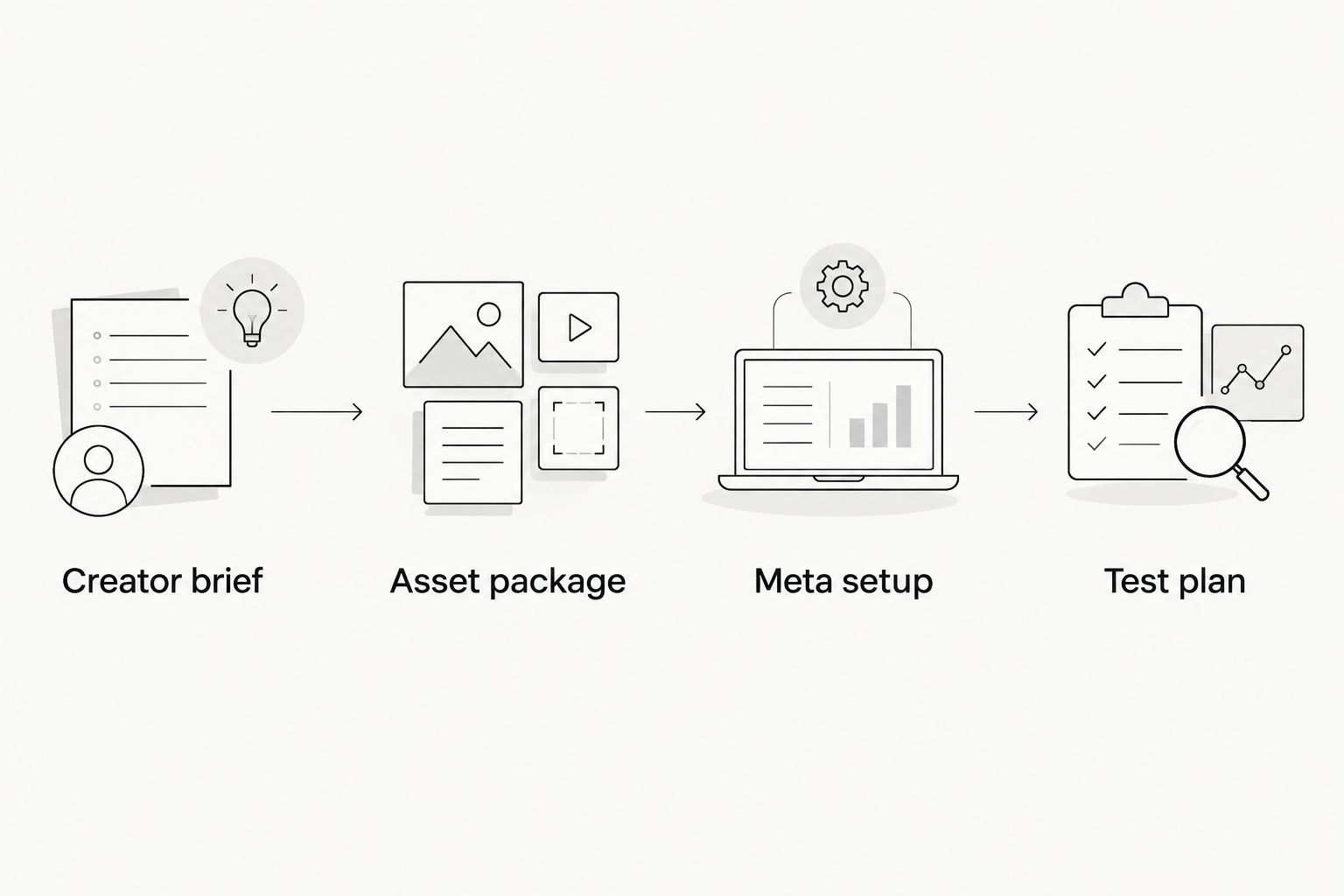
This 2026 workflow separates Creator brief, Asset package, Meta setup, and Test plan. Each stage has a distinct approval: message, export, configuration, and measurement.
Decide what to change next
Do not replace every element after a disappointing result. Diagnose the point of failure first. If the opening attracts attention but the destination does not produce the intended action, inspect the message-to-page match and measurement before commissioning more hooks.
Keep creative observations separate from conversion conclusions. “The product screen is unreadable” is an editing finding. “This ad generates more registrations” requires measured registration results and an appropriate comparison.
Variant: Refresh an existing creator ad
An approved demonstration does not need a complete replacement every time you want another creative angle. Refresh the opening while preserving the product evidence, provided the footage remains accurate and its usage permission still applies.
- Identify the existing asset by its concept and version, not by a nickname in a chat thread.
- Check the product demonstration, approved claims, and permission period again.
- Brief a new opening around a different objection or use case. Preserve the demonstration when your question concerns the opening alone.
- Export a new version and create a separately named ad for the comparison. Keep the previous version identifiable in your reporting.
- Log the reason for the refresh and the outcome you will use to assess it.
Expected result: You expand the creative library without losing the relationship between the original asset and its variants. A refresh remains a traceable test, not an unexplained replacement.
Troubleshooting
The creator cannot authorize a partnership ad
Check account eligibility, the intended creator identity, and the authorization requested in Meta. Do not substitute an organic posting agreement for platform authorization. If you switch to a standard ad, confirm that the written paid-use permission covers that use.
Captions cover the product demonstration
Move captions away from the interface element the viewer needs to see. Recheck the placement previews after export. If the screen remains unreadable, simplify the shot or capture a closer demonstration rather than shrinking everything further.
Meta rejects the ad
Read the stated rejection reason and review both the creative and destination against the relevant advertising rules. Correct the specific issue before resubmitting. A creator delivering a claim conversationally does not exempt that claim from review.
Clicks appear, but conversions do not
Test the destination and conversion event using the relevant measurement tools. Confirm that the expected action registers. Only then evaluate the page experience and creative promise; missing measurement and weak conversion performance require different fixes.
One hook gets little delivery
Do not treat limited delivery as proof that the hook is worse. Review the campaign's allocation and decide whether the comparison needs a controlled experiment. Keep your conclusion proportional to the evidence received.
Customize your workflow
Assign an owner to each handoff: briefing, rights approval, editing, publishing, and measurement. One person can own several stages, but each stage still needs a clear decision-maker.
UGC Scout's done-for-you creator video production and posting fits teams that want those production tasks handled externally. Agency production does not replace your campaign measurement plan. Confirm which editing, paid-use permissions, ad-account tasks, and approvals belong in the engagement before work begins.
For your next 2026 batch, add one documented learning to the brief. Carry forward an observed buyer objection or a clear editing correction. Do not turn an isolated result into a universal rule about every creator or audience.
FAQ
What's the best way to use UGC for Meta ad creative?
Use approved creator footage within a repeatable briefing, editing, publishing, and testing workflow. Keep the first hook comparison consistent in its demonstration, call to action, destination, and delivery route.
Can I turn a creator's organic post into a paid Meta ad?
Only use a creator's organic post in paid advertising when the relevant usage rights and permissions cover that use. Partnership ads also require the applicable creator authorization in Meta.
Are partnership ads better than standard UGC ads?
Neither format is automatically better. Standard ads suit brand-led delivery, while partnership ads suit campaigns where authorized creator identity is part of the message.
How long should a SaaS or mobile app UGC ad be?
Use 15–45 seconds as a practical starting brief when the message fits, not as a guaranteed performance rule. The video needs enough time to establish the problem, show the relevant product action, and deliver the call to action.
How many creator hooks should I test first?
Start with 3 hooks around the same demonstration as a manageable production exercise. This batch size is a recommendation, not a statistical requirement or evidence that the test will produce a reliable winner.
Does UGC Scout offer done-for-you creator video production?
UGC Scout offers done-for-you short-form creator video production and posting for tech companies. Confirm paid-ad editing, usage permissions, campaign setup, and measurement responsibilities when defining the engagement.
How do I know whether a creator ad is high-performing?
Judge the creator ad against the campaign's measured objective and the comparison you designed. Views alone do not establish acquisition performance, and limited delivery does not establish that a creative variant failed.
One last thing
The most useful asset in your library is not always the winning export. It is the approved source footage you can edit again. Keep raw footage, permission records, scripts, and version names together. That turns the next brief into a specific revision instead of another search through messages.