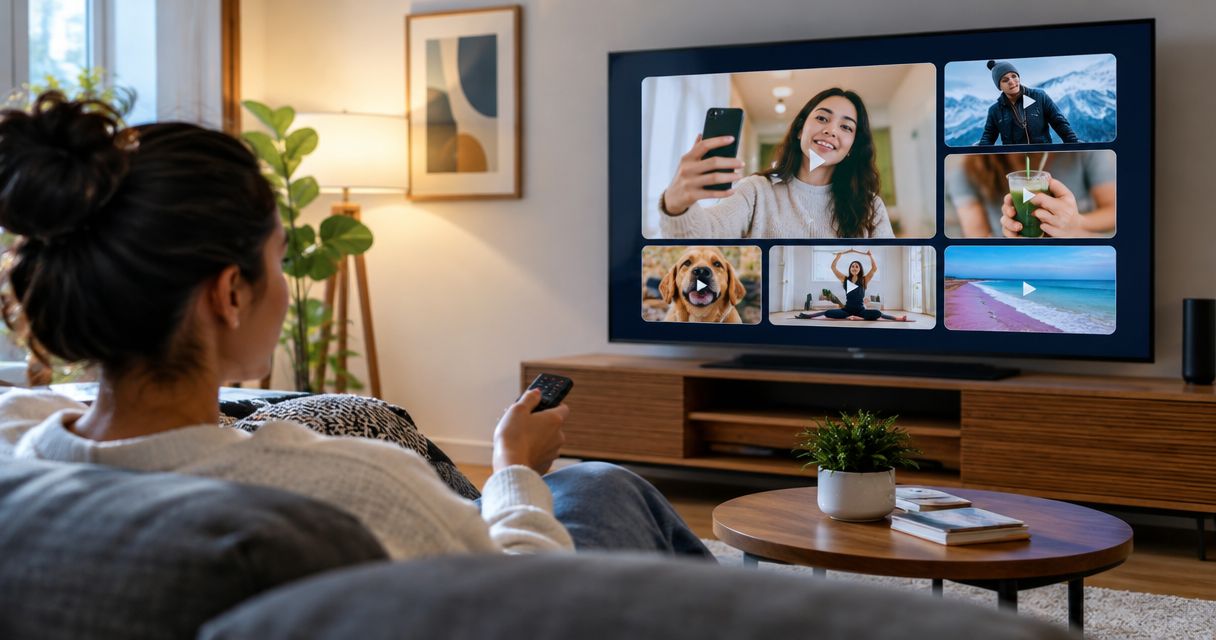
Yes. You can run UGC ads on connected TV and ad-supported streaming platforms when the placement accepts the creative, your agreement covers that advertising use, and the video meets the buyer’s delivery requirements. In 2026, a social-ready creator video is not automatically TV-ready: you still need the right permissions, an approved export, and a response path that works without a social-feed click.
- UGC ads connected TV streaming platforms: yes, when usage rights, creative specifications, and placement approval align.
- Connected TV needs readable product demonstrations and a response path that does not depend on clicking.
- Streaming video also reaches phones and computers; confirm the device before briefing your creator.
- UGC Scout suits tech teams seeking done-for-you short-form creator video production and posting, not an assumed TV media-buying service.
Why this matters
For SaaS and mobile app teams, the decision is not whether a creator can appear on television. The decision is whether the video explains your product clearly in that viewing environment. A close-up phone recording and a desktop dashboard need different framing.
Your 2026 production brief should identify the destination before filming starts. Use the cross-platform creator content guide to separate reusable footage from placement-specific edits. Reuse the idea, not an unchecked export.
Can UGC ads be run on connected TV or streaming platforms?
Yes. UGC describes the creative approach, not the distribution channel. A creator-led demonstration, testimonial, or problem-and-solution video can become a streaming ad, subject to the placement’s specifications, content policies, and your rights to use everything shown and heard.
Connected TV describes viewing through an internet-connected television or streaming device. Streaming video is broader: viewers also watch on phones, tablets, and computers. Those categories overlap, so ask where the ad will actually appear.
| Viewing environment | Best for | Useful creative approach | Main limitation |
|---|---|---|---|
| Connected TV | Explaining a product benefit on a television screen | Creator introduction, readable demonstration, clear end card | Do not assume viewers can click through |
| Mobile streaming video | Reaching viewers on a phone | Device-appropriate framing and a concise demonstration | Accepted formats and interaction features depend on the placement |
| Desktop streaming video | Showing a workflow with a clear next step | Creator narration paired with enlarged product details | Dense interface recordings still need editing |
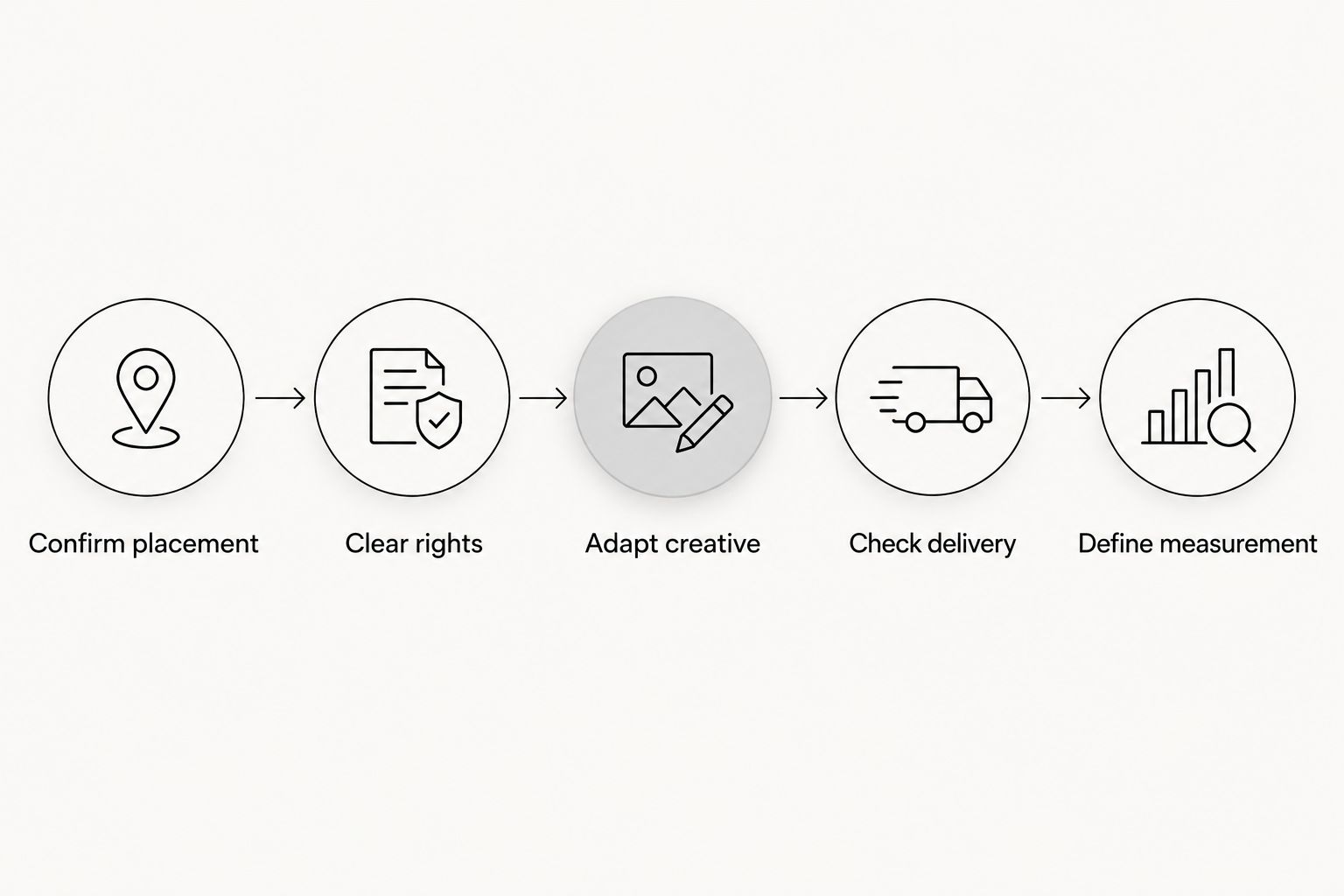
Before booking delivery, follow this sequence:
- Confirm placement. Identify the publisher, buying route, device, and accepted ad format.
- Clear rights. Check creator permissions, music, footage, testimonials, and product claims.
- Adapt creative. Reframe the demonstration and rewrite the call to action for the viewing environment.
- Check delivery. Validate the export against the current specification sheet and submit it for review.
- Define measurement. Agree on the business outcome and attribution method before launch.
The buyer’s current specification sheet controls technical acceptance. A video looking good in your editing software does not establish that the publisher will accept it.
Connected TV: build for a television, not a feed
Best for: a product story viewers can understand without tapping the screen. Keep the creator’s delivery conversational, but give the demonstration enough space to make sense from a sofa. A full dashboard shrunk into a corner is not a useful product demonstration.
For example, a SaaS ad can show the problem, enlarge the relevant product action, and finish with the result. A mobile app ad can pair the creator’s explanation with a close-up screen recording. Neither needs to show every feature.
The benefit is room for a focused audiovisual explanation. The constraint is interaction: a television impression does not function like a feed impression with a familiar button underneath it. Use an end card with a memorable brand name and a clear next action; include a QR code only when the placement permits it and the destination supports that action.
Do not carry over social interface graphics that imply a viewer can like, comment, or tap something that is not interactive. The creative should match what the viewer can actually do.
Other streaming placements: brief for the actual device
Best for: teams that have a defined streaming placement and can produce its required version. “Streaming” alone is not a production specification. A phone, laptop, and television create different framing and response needs.
The advantage is that your original creator concept can inform several edits. The drawback is that each destination still needs its own acceptance check. You cannot establish compatibility by changing the filename or adding empty space around a vertical video.
In your 2026 brief, name the viewing device, orientation, permitted duration, audio requirements, and call-to-action behavior. Ask whether the campaign includes several environments. If it does, request a delivery list for each rather than treating the entire campaign as one export.
Why UGC ad requirements vary across streaming platforms
The requirements vary because the destination, agreement, and campaign objective vary. Check these factors before promising a creator that existing footage is sufficient:
- Device and screen layout. Television viewing and phone viewing need different treatment of text, interfaces, and framing.
- Publisher specifications. Duration, file format, resolution, audio, captions, and safe areas belong in the delivery checklist.
- Usage permissions. The creator agreement must cover the intended channels, territory, duration, and permitted edits.
- Content and claims. Product demonstrations and testimonials need to comply with applicable advertising rules and publisher policies.
- Response and measurement. A QR scan, website visit, signup, and attributed conversion are different events. Define which one matters.
These are separate approval gates. Technical acceptance does not replace rights clearance, and permission from a creator does not establish that every claim in the script is substantiated.
How should you adapt a social UGC video for TV?
Start with the script and source footage, not the finished social export. Keep the useful creator explanation. Remove anything that relies on feed behavior, unreadable interface details, or permissions that do not extend to the new use.
Write a self-contained product story
Give viewers the problem, the product action, and the outcome inside the ad. Do not depend on a caption, comment thread, profile biography, or previous video to explain what the company sells.
For a scheduling app, show the scheduling action rather than an extended tour of settings. For a SaaS reporting tool, enlarge the relevant report instead of displaying an entire workspace. These are production examples, not promised performance outcomes.
Choose duration after confirming the placement
Draft a 15-second version around one product benefit. Use a 30-second version when the explanation genuinely needs more room. These are practical script exercises, not universal publisher requirements; the accepted duration comes from the placement specifications.
Do not fill extra time with more features. A longer edit still needs a clear reason to exist. If removing a scene leaves the product explanation intact, remove it.
Rebuild the frame and audio
A 16:9 landscape composition is a familiar television format. A 1920-by-1080-pixel export is a familiar full-HD frame, not a guarantee of acceptance. Confirm the actual resolution, encoding, frame rate, and audio requirements before delivery.
Use original recordings where available. Repeatedly downloading and re-exporting a social post is not a substitute for a clean production master. Check voice clarity, music permissions, caption readability, and whether important information survives the final framing.
Replace the social call to action
Remove instructions such as visiting a profile or tapping a social-only control. State a next step the placement supports. If you use a QR code, test the final encoded video on a television rather than approving only a still image on a laptop.
A QR code is an option, not a complete measurement plan. Viewers can also remember the brand and visit later through another route.
What permissions do you need before running creator video on TV?
Your agreement needs to authorize the intended advertising use. Do not assume permission to post organically, or to advertise on a named social network, automatically includes connected TV and other streaming placements.
Review the agreement with whoever owns rights clearance. Ask for written clarity on:
- Channels and placements covered by the license.
- Campaign territory and usage period.
- Permission to crop, subtitle, shorten, and combine footage.
- Music, stock footage, graphics, and other third-party material.
- The creator’s likeness, testimonial wording, and approved claims.
- Any restrictions on sublicensing or delivery through media partners.
Keep records with the approved asset. A team member preparing a 2026 launch should not have to search old messages to discover whether a creator approved the planned use.
A scripted product demonstration also must not become a fabricated customer testimonial. If the creator has not experienced the claimed result, do not write the script as though they have.
How should SaaS and app teams measure the campaign?
Define success before the campaign runs. For an app, that might mean an attributed install followed by a meaningful in-app event. For SaaS, it might mean a qualified signup or demo request. Choose the outcome your team can actually measure.
Ask the media partner how exposure connects to that outcome. Confirm attribution windows, household or device matching where applicable, consent requirements, and reporting limits. Do not treat every conversion reported after exposure as proof that the ad caused it.
For a 2026 test, keep the audience and measurement approach consistent when comparing creative versions. Change the opening, demonstration, or end card deliberately. If several campaign settings change at once, the result does not isolate the creative change.
Completion rate describes viewing behavior, not customer value. Read it alongside the agreed business outcome, and use a suitable control or lift study when the question is incremental impact.
When should you involve a UGC agency?
Bring the agency into the brief before filming if streaming use is part of the plan. The agency needs to know what footage, permissions, and alternate edits the campaign requires. Your media buyer needs to confirm the actual delivery requirements.
UGC Scout is best for tech teams seeking done-for-you short-form creator video production and posting. That is the stated service fit. It does not establish connected-TV media buying, publisher access, or streaming-specific rights clearance as included services.
When evaluating UGC Scout, ask who owns the streaming adaptation, rights review, technical checks, and media submission. The benefit of outside production support is less creator-production work for your team; the boundary is that production and media execution are separate responsibilities unless the agreement joins them.
FAQ
Can UGC ads run on connected TV?
Yes, UGC ads can run on connected TV when the placement accepts the creative and the advertiser has the necessary permissions. The export must also meet the destination’s technical and content requirements.
Can I upload the same vertical video I use for social ads?
Do not assume the same vertical export will work. Confirm the accepted format, then adapt framing, text, product demonstrations, and the call to action for the actual placement.
How long should a creator video ad be for streaming?
The placement’s accepted duration determines the final ad length. Drafting 15-second and 30-second scripts can help you choose a focused story, but neither duration is a universal requirement.
Do I need separate permission to use creator content on television?
You need permission that covers the intended television or streaming advertising use. If the existing agreement does not clearly cover it, resolve the rights before launch.
Can a connected TV ad use a QR code?
A connected TV ad can use a QR code where the placement permits it. Test scanning from the final video on a television and provide a clear reason to scan.
Is creator video better than a studio ad for streaming?
Neither production style is automatically better for streaming. Compare approved versions against the same business objective; creator delivery offers a personal explanation, while complex demonstrations still need careful production.
Does UGC Scout include connected TV media buying?
UGC Scout’s stated offer is done-for-you short-form creator video production and posting for tech companies. Confirm any connected-TV adaptation or media-buying responsibilities separately before engaging the service.
One last thing
Approve the final ad on the screen where viewers will see it. A detailed software demo that looks clear at arm’s length can become difficult to follow across a room. Play the export on a television, read the end card from your seat, and test the next step.
For your next 2026 brief, decide the viewing environment before the creator records. That single production decision determines which framing, permissions, and response instructions you need to settle early.