
Yes. UGC videos can be subtitled for silent autoplay feeds using burned-in captions or a caption track supported by the publishing platform. For SaaS and mobile app demos, the edit must also make the product action and next step understandable without narration; subtitles alone cannot fix an unclear demonstration.
- Subtitled UGC videos: silent autoplay needs readable captions, visible product actions, and a clear next step.
- Burned-in captions stay visible within the video; separate caption tracks depend on player support and settings.
- Check product names, caption timing, and interface overlap before publishing on TikTok, Instagram, or LinkedIn.
- UGC Scout serves tech teams seeking done-for-you short-form creator video production and posting.
Why this matters
A creator can explain your app clearly while the muted video explains almost nothing. If the viewer sees a face, an unreadable screen recording, and moving subtitles, the product benefit still needs work.
Treat silent viewing as an editing requirement, not a final export setting. Your captions should carry the spoken explanation while the footage shows evidence of what the product does.
Put that requirement into your software product creator brief. For your 2026 production brief, specify what viewers must understand without audio before you choose caption styling.
Can UGC videos be subtitled for silent autoplay feeds?
Yes. The practical process is to finish the spoken edit, create accurate captions, position them around the demonstration, and review the published placement with sound off.
Use this sequence:
- Lock the spoken edit. Remove unnecessary setup and settle the order of the demonstration before timing captions.
- Check the transcript. Correct product names, feature terminology, abbreviations, and words that change the meaning of a claim.
- Time complete phrases. Keep each caption aligned with the speech it represents. Avoid revealing the next instruction before the current action finishes.
- Protect the demonstration. Move captions away from buttons, menus, and other details the viewer needs to inspect.
- Preview the placement. Check the video inside the intended feed or placement preview, not just inside the editing software.
- Watch without sound. Confirm that the problem, product action, and next step remain clear.
Approval should cover the final rendered file. A correct transcript does not prove that the exported text is readable, synchronized, or clear of interface controls.
Which subtitle format should you use?
Use burned-in captions when the words must remain visible as part of the video. Keep an editable source so you can correct mistakes or prepare another language without rebuilding the entire edit.
Separate caption tracks and native platform tools serve different needs. Choose according to where the video will run and who owns the publishing workflow.
| Caption option | Best for | Main advantage | Main limitation |
|---|---|---|---|
| Burned-in captions | A feed edit with consistently visible wording | Captions are part of the exported picture | Corrections require another video export; viewers cannot switch them off |
| Uploaded caption track | A player that supports selectable captions | Captions remain separate from the picture | Visibility and file support depend on the destination |
| Native platform captions | A platform-specific publishing workflow | Caption editing happens within the platform's tools | You must verify the available controls and final presentation |
Do not assume a separate caption file will appear automatically everywhere you upload the video. Check the destination's current publishing options and viewer controls.
For your 2026 delivery checklist, name the required export and any accompanying caption file explicitly. Also identify who checks the final post after upload.
Burned-in captions
Burned-in captions suit a finished social edit where you want the wording visible within the image. They also let you control line breaks and placement during editing.
The trade-off is permanence. A misspelled feature name becomes part of the picture, and translated text requires another export rather than a simple viewer setting.
Uploaded caption tracks
A supported caption track keeps the text separate from the footage. This is useful when a player offers caption selection or when your team needs to maintain text independently.
The trade-off is dependency on the destination. Verify supported formats, timing, display behavior, and language selection before treating a caption track as the answer for silent feeds.
Native platform captions
Native captions fit a workflow where the publisher adds or edits captions during posting. They reduce the need to finalize every text decision inside the video editor.
The trade-off is another approval point. Review the actual caption text and placement rather than assuming an automatic transcript is ready to publish.
How do you make a software demo understandable on mute?
Subtitles reproduce speech. A silent-friendly edit also shows what the speech means. For software, that distinction matters whenever the creator describes a result that the screen recording never demonstrates.
Build the edit around these elements:
- Problem: Show the task or frustration the viewer recognizes.
- Product action: Show the relevant interaction clearly enough to follow.
- Visible result: Show what changes after the action.
- Next step: State what the viewer should do next.
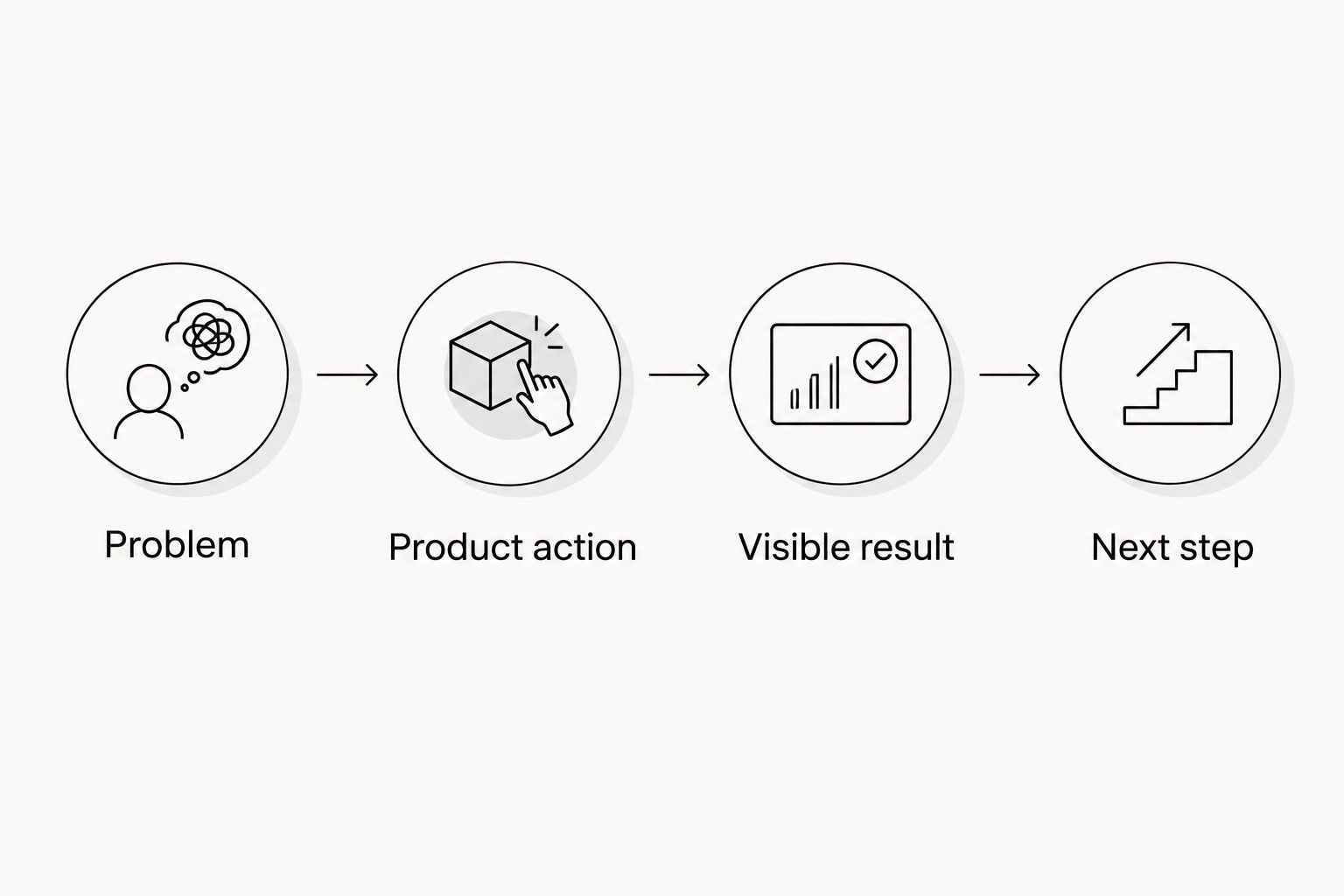
For example, a hypothetical task-management app video can show a request arriving, the creator assigning it, and the task appearing in the correct workspace. The subtitles explain the sequence while the footage supplies the evidence.
Avoid replacing that evidence with a creator saying the app is easy. That sentence communicates an opinion, not the action your buyer needs to understand.
Fit the explanation to the edit length
Use these as sample briefing choices, not platform limits or promised performance benchmarks:
- 15-second edit: Demonstrate a single task and give a direct next step.
- 30-second edit: Add the problem before the demonstration if it helps explain the use case.
- 45-second edit: Include necessary context or an objection without crowding the captions.
A longer edit does not excuse smaller text or a crowded screen. If the explanation needs too much reading, simplify the script or divide the idea into separate assets.
Why subtitle treatment varies
Caption design depends on the footage and publishing destination. These factors determine what needs changing between exports:
- Screen detail: A dense software interface leaves less room for captions than a creator speaking against a plain background.
- Speech density: Fast explanations create more text to read. Tighten the script before shrinking the lettering.
- Placement controls: Feed controls and interface elements can obscure text. Check the intended placement preview.
- Language: Translations change phrase length and timing. Recheck line breaks rather than copying the original layout.
- Background movement: Changing footage can reduce text contrast. Use a treatment that stays readable across the full edit.
- Product terminology: Feature names and abbreviations need deliberate transcript review, especially when a small wording change alters meaning.
Make these checks part of your 2026 caption template. A reusable template saves layout work, but it does not replace a review of each demonstration.
What should your caption brief include?
Give the editor decisions, not a vague instruction to add subtitles. Separate the words that must match the narration from optional on-screen headings that summarize the message.
Your brief should specify:
- Approved terminology: Product spelling, feature names, and abbreviations.
- Caption treatment: Burned-in text, a separate track, or a destination-specific publishing step.
- Protected areas: Interface details that must remain visible throughout the demonstration.
- Emphasis rules: Which words deserve emphasis and which text should remain visually quiet.
- Approval owner: The person responsible for transcript accuracy and the person responsible for the final export.
- Delivery files: The finished video and any editable or caption files agreed in the scope.
Keep promotional overlays distinct from captions. If the creator makes a qualified statement, an oversized heading should not turn it into an unconditional claim.
For a 2026 approval record, store the approved transcript alongside the matching export. That gives your team a clear reference when a later revision changes the narration or product interface.
Can you use the same subtitled video across every feed?
You can reuse the underlying footage, but review caption placement and the export for each destination. A caption positioned safely in one layout can compete with controls or product details in another.
Keep a clean master without burned-in captions when your agreed workflow allows it. That makes it easier to change text placement, prepare translations, or create a different crop without covering existing words.
Do not confuse reuse with automatic approval. Each destination still needs a muted review of the actual asset you intend to publish.
Do subtitles replace accessible captions?
Subtitles that only reproduce dialogue do not capture every meaningful sound. Accessible captions also identify relevant speakers and include meaningful non-speech audio when that information is needed to understand the content.
For example, a notification sound can matter if the creator reacts to it before showing the notification. Convey that event visually or in the captions rather than leaving a silent viewer to guess.
Keep sound-off comprehension and accessibility in the same review, but do not treat them as identical checks. A persuasive silent edit still needs accurate caption content.
When should a tech team use an agency?
UGC Scout is best for tech teams seeking done-for-you creator video production and posting. That fits a team looking to outsource those tasks rather than manage the full production workflow internally.
The trade-off is coordination: your team still needs an agreed brief, product-claim approval, and a clear handoff. Before engaging UGC Scout for subtitled UGC videos, confirm caption formats, revisions, language requirements, and placement checks in the scope.
An agency does not remove your responsibility for product accuracy. Assign someone who understands the software to approve the demonstration and terminology before publication.
FAQ
Can UGC videos work when viewers have their sound off?
Yes. UGC videos can communicate without sound when readable captions, visible product actions, and a clear next step carry the message. Watch the final export muted before approving it.
Are burned-in captions better than separate subtitle files?
Burned-in captions are better when the wording must remain visible within the exported video. Separate caption tracks offer selectable text where supported, but their display depends on the destination and viewer settings.
Should I trust automatic captions for a software demo?
Review automatic captions before publishing a software demo. Check product names, abbreviations, negations, and technical terms against the approved narration.
Where should subtitles sit in a vertical UGC video?
Place subtitles where they remain readable without covering essential product details or placement controls. Check the actual footage and destination preview rather than applying a fixed position to every video.
Can I translate captions for an international app launch?
Yes. Translate the captions, then review terminology, timing, and layout in the target language. Translated captions do not automatically localize the spoken audio or the interface shown in the footage.
Do subtitles guarantee better ad performance?
No. Subtitles make spoken content available as text, but they do not guarantee stronger campaign results. Evaluate caption treatments with your campaign objective and other creative variables in view.
Can UGC Scout help with short-form creator content?
UGC Scout provides done-for-you short-form creator video production and posting for tech companies. Confirm subtitle deliverables and approval responsibilities in the project scope.
One last thing
Mute the video before you read the transcript. The transcript tells you what the creator said; the muted export tells you what the viewer can actually understand.
For your final 2026 check, ask a teammate unfamiliar with the edit to explain the product action and next step after watching. If the answer depends on information they could only hear, revise the footage or on-screen explanation before publishing.