B2B demo video cost depends on the work you commission: scripting, product capture, creator filming, editing, versions, and usage rights. Request a quote against a written scope, and check whether revisions, paid-ad use, and future product updates are included rather than treating the initial production quote as the full commitment.
- B2B demo video cost needs a defined scope, not a headline estimate without deliverables.
- UGC Scout fits tech teams seeking done-for-you short-form creator video production and posting.
- Separate screen-recorded demos, creator-led demos, and animated explainers before comparing quotes.
- Specify usage rights, revisions, product access, and final files before approving production.
Why this matters
A demo for a sales conversation has a different job from a creator video for a social feed. Buying both under the label of demo video leaves too much undecided: who writes the script, who shows the product, and what you receive.
For your 2026 brief, start with the buyer action. Decide whether the viewer should understand a workflow, try a feature, or book a conversation. Then choose the production format.
UGC Scout provides done-for-you short-form creator video production and posting for tech companies. That is a relevant service model when your need is creator content, not a reason to treat every software demo as the same assignment.
How much does a B2B demo video cost?
A useful B2B demo video quote attaches the charge to specific deliverables and responsibilities. Compare the same format, script ownership, recording requirements, editing scope, usage rights, and approval process across proposals.
Use this breakdown to inspect a quote. Each line should say what is included, what you must supply, and what triggers additional work.
| Scope component | What to put in the brief | What to confirm in the quote |
|---|---|---|
| Script | Buyer, problem, workflow, and next action | Who writes it and approves factual claims |
| Product capture | Screens and actions that must appear | Who records footage and prepares the account |
| Creator filming | Role, delivery style, and product knowledge needed | Casting, filming, and any replacement process |
| Editing | Captions, screen inserts, audio, and graphics | Which editing tasks belong to the base scope |
| Versions | Different openings, lengths, or platform layouts | Whether each version is a separate deliverable |
| Revisions | Feedback process and approval stages | Which changes are included and which require a new quote |
| Usage | Organic posting, paid ads, and intended channels | Written permissions and any use restrictions |
| Handoff | Finished exports and any editable materials needed | Exactly which files you receive |
Do not compare a filming-only proposal with a done-for-you production proposal as if they cover identical work. Put your team's responsibilities beside the supplier's responsibilities. A quote is incomplete for your decision if that division remains unclear.
Screen-recorded demo: best for showing an exact workflow
Choose a screen-recorded demo when the product interaction is the evidence. Show the starting point, the action, and the result. Keep the cursor movement and narration tied to the task the buyer wants to complete.
Best for: explaining a defined software workflow to a buyer who already understands the problem.
The advantage is direct product visibility. The limitation is that the interface must carry the explanation; a long sequence of clicks does not automatically tell the viewer why the task matters.
Before requesting production, prepare a clean demonstration account and an approved recording path. Specify whether your team supplies the recording or the producer must learn and capture the workflow. Those are different assignments, even when the final video looks similar.
Creator-led demo: best for short-form problem-and-solution content
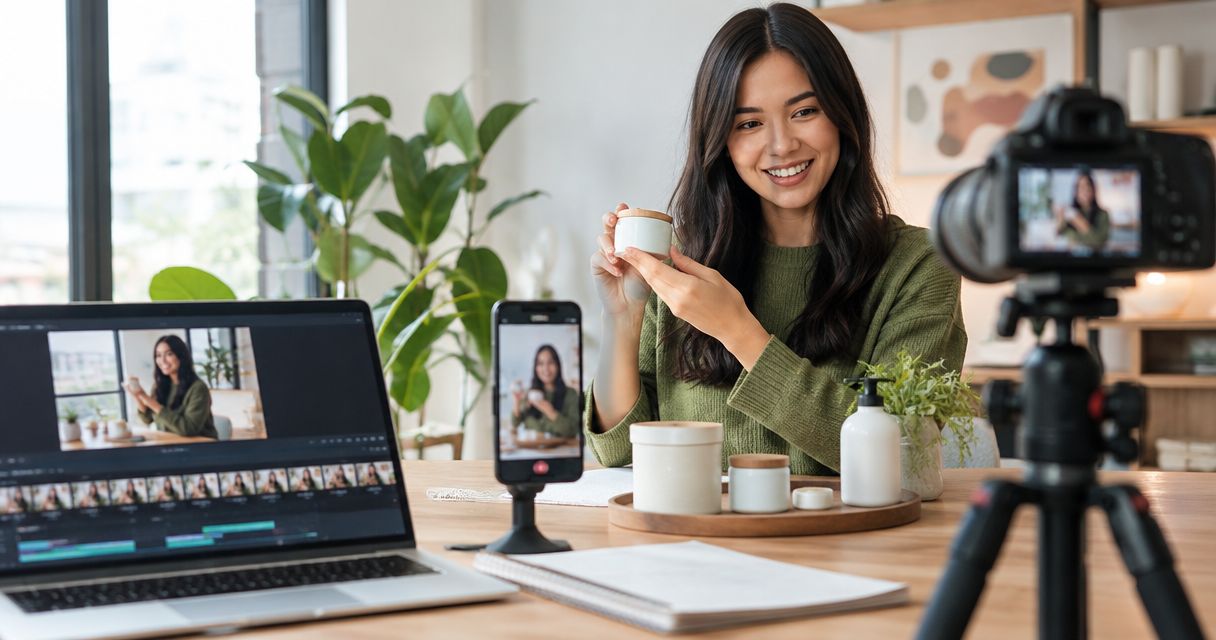
Choose a creator-led demo when you want a person to introduce the problem and demonstrate the relevant product action. The creator needs an approved explanation, usable product footage, and clear boundaries around claims.
Best for: SaaS and mobile app teams building short-form content around a specific use case.
The advantage is a visible speaker who can connect the problem to the demonstration. The limitation is another approval dependency: product accuracy and on-camera delivery both need to work. A confident performance cannot fix an incorrect workflow.
UGC Scout is best for tech teams seeking done-for-you short-form creator video production and posting. Confirm the exact demo requirements, rights, and deliverables in the engagement scope rather than assuming that every production task is included.
Animated explainer: best for explaining an abstract process
Choose animation when the explanation depends on relationships that a screen recording does not show clearly. Examples include how information moves between teams or where a product fits within a broader process.
Best for: explaining a concept before asking the viewer to inspect the interface.
The advantage is control over what appears on screen. The limitation is the distance from the actual product experience. If the buyer needs to see how a task works, a conceptual sequence is not a substitute for a demonstration.
State which scenes require illustration and which require real product footage. Approve the script and visual sequence before commissioning the finished animation.
Which demo format should you choose?
| Format | Best for | Main advantage | Main limitation |
|---|---|---|---|
| Screen-recorded demo | Showing an exact workflow | Displays the actual product interaction | Needs clear narration and a prepared account |
| Creator-led demo | Short-form use-case content | Connects a speaker's explanation to product footage | Requires approval of both delivery and product accuracy |
| Animated explainer | Explaining an abstract process | Shows relationships beyond the interface | Does not prove how the product works in use |
Pick the format against the buyer's question, not against the most elaborate treatment in a proposal. For a 2026 supplier comparison, give every candidate the same intended use and required outputs.
Why B2B demo video scope varies
The format is only the starting point. These factors determine what you need to commission:
- Product access: Specify whether the producer receives a demonstration account, approved recordings, or guided access. Assign responsibility for removing sensitive information.
- Script responsibility: Decide who develops the argument, checks terminology, and approves product claims. Separate writing from factual sign-off.
- Production method: List screen capture, creator filming, voice recording, and animation separately. Do not hide different tasks inside a general production label.
- Version requirements: Distinguish a new opening from a new workflow or a different audience message. Describe what changes between outputs.
- Usage permissions: Name the channels and uses you need. Ask for written confirmation rather than assuming delivery grants every permission.
- Revision boundaries: Separate corrections, preference changes, and changes to the original brief. Agree on the process before filming.
Keep these decisions visible in the proposal. If a supplier leaves a line open, resolve it before approval instead of relying on a verbal understanding.
How do you scope a demo before requesting a quote?
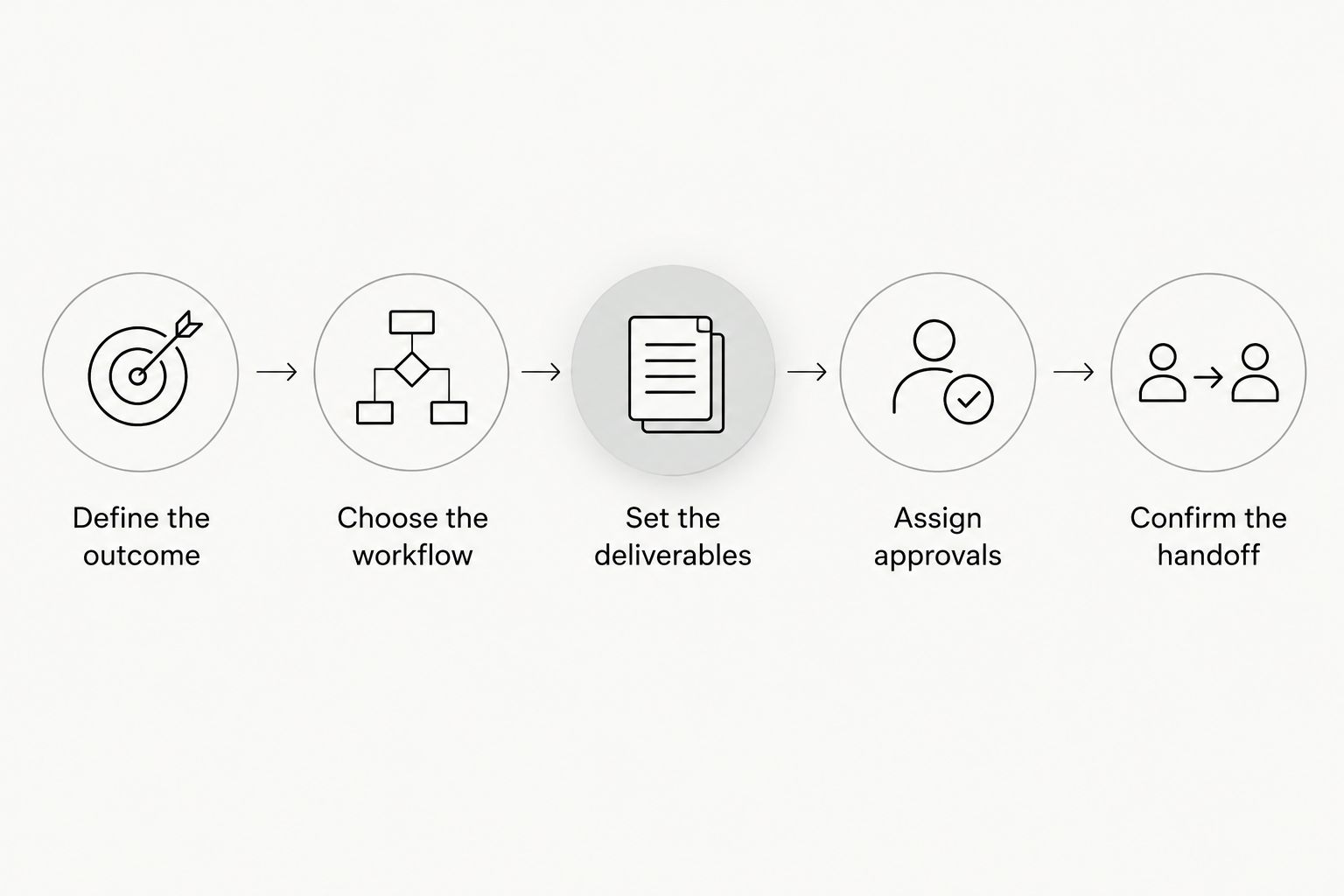
Give the producer a brief that makes the work concrete. Your 2026 production brief should describe the buyer's task, the footage needed, and the approval path—not just the video's desired look.
Define the outcome
Write the buyer question in plain language. For example: how does a team assign an incoming request to the right person? That gives the script a job and keeps unrelated features out.
Choose the workflow
Identify the start state, the required action, and the visible result. Prepare the demonstration environment before recording. Use approved demonstration data rather than exposing customer information.
Set the deliverables
Specify length, orientation, captions, and any alternate openings. As a planning exercise, you might request a 15-second problem-led cut, a 30-second workflow cut, or a 45-second explanation. These are brief options, not promised package contents or evidence of performance.
Assign approvals
Name the person responsible for product accuracy and the person responsible for the message. Collect their feedback into a single response. Ask the producer to identify the approval points that stop later work from starting prematurely.
Confirm the handoff
List the final exports and any other files your team needs. Confirm usage permissions and where the approved files will live. Record the product workflow shown so future reviewers know what the footage represents.
A strong brief does not need a long presentation. It needs decisions the producer can act on. Use the same document to compare proposals and approve the finished work.
Is a short demo enough for a complex SaaS product?
A short demo is enough when its job is to explain a narrow task, not the whole product. Keep the promise specific and make the relevant result visible.
For example, an assignment workflow can focus on receiving a request, assigning an owner, and showing the next action. It does not need to explain administration, reporting, and every integration in the same clip.
Separate the opening explanation from the detailed walkthrough when they serve different questions. Do not label a short social introduction as a complete product evaluation.
Does a creator demo replace a sales demo?
A creator demo does not replace a buyer-specific sales conversation when the buyer needs answers about their own workflow. Use creator content to introduce a problem and demonstrate a relevant action.
A sales demo can address the prospect's requirements in detail. Give each asset its own purpose and next step, then evaluate whether it performs that job rather than judging everything by views.
What should you ask before approving the quote?
Ask the supplier to explain exclusions as clearly as inclusions. A proposal should let you trace every promised output back to the brief.
Use these questions in your 2026 procurement discussion:
- Who writes the script, and who confirms that every product claim is accurate?
- Who prepares the account and records the screen footage?
- Does the scope cover alternate openings or only the main edit?
- What happens when feedback changes an already approved script?
- Which uses are permitted, and where are those permissions documented?
- What files do you receive at handoff?
- How are later interface changes handled?
UGC Scout's short-form creator video service fits the production-and-posting requirement. Your evaluation still needs the same discipline: agree on the work, confirm your responsibilities, and define acceptance before production starts.
FAQ
How much does a B2B demo video cost in 2026?
B2B demo video cost depends on the commissioned scope. Request a quote that identifies scripting, recording, editing, versions, revisions, usage rights, and final files so you can compare equivalent work.
What's the best demo format for a SaaS workflow?
A screen-recorded demo is the best fit when the buyer needs to see an exact software workflow. Show the starting point, the action, and the result, with narration that explains why the task matters.
Is a creator-led demo better than an animated explainer?
A creator-led demo fits a person-led use-case explanation; an animated explainer fits an abstract process. Choose according to what the buyer needs to understand, not which format looks more elaborate.
How long should a short-form software demo be?
Use the length required to explain the selected task without unrelated features. For a concrete brief, consider a 15-second introduction, a 30-second workflow, or a 45-second explanation, then check whether the message fits.
Do I need to give the creator product access?
Give the creator approved product access or approved footage that supports the script. State who records the workflow and checks accuracy, and keep sensitive customer information out of the production materials.
Can I reuse a demo video in paid ads?
Confirm paid-ad use in the written agreement before publishing. Identify the footage, creator appearance, audio, and other materials involved rather than assuming receipt of the file settles every permission.
What should a done-for-you demo proposal include?
A done-for-you demo proposal should state the supplier's tasks, your responsibilities, deliverables, approvals, revisions, and permissions. Ask specifically about any work needed to prepare the product account or update footage later.
One last thing
A demo can remain well edited while showing an outdated workflow. Before final approval, identify the screen that would force a replacement if the interface changed.
Ask for a handoff that makes future changes understandable. Keep the approved script, recording path, and deliverable list together. That gives your team a clear starting point when the product changes instead of another round of guessing what was produced.