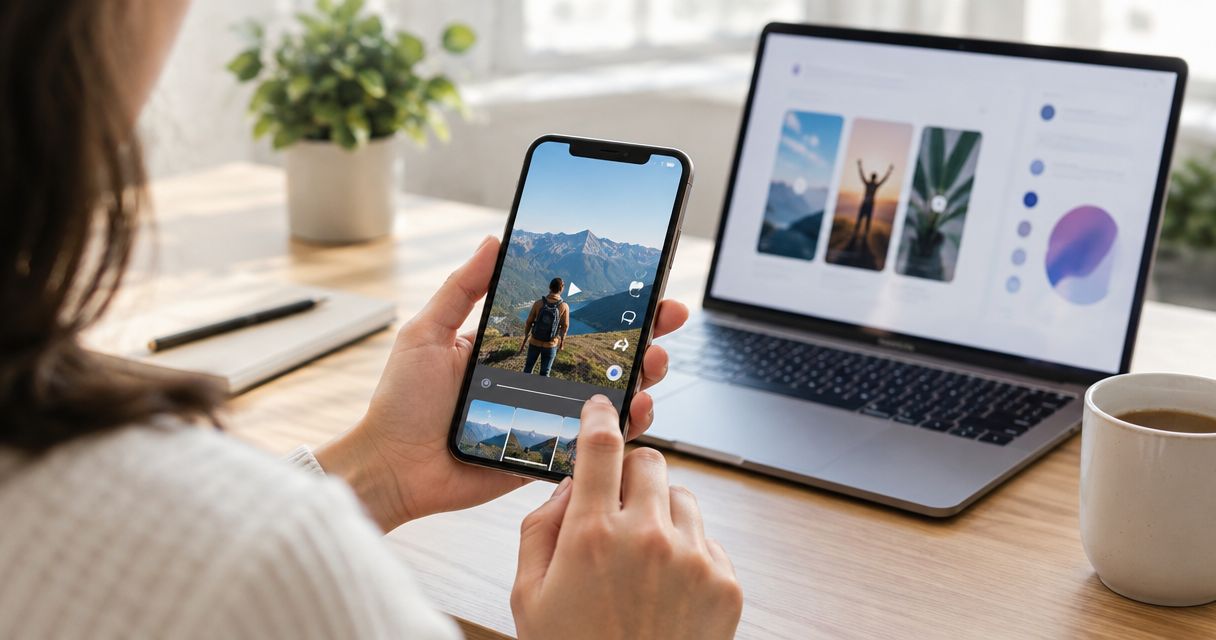
No. UGC videos cannot run as standalone Apple Search Ads creative in 2026. Apple Ads draws search-results creative from App Store product-page assets, so a creator video must be rebuilt as an eligible app preview before it can be considered; even then, you cannot assume the video will appear in every ad impression.
- UGC videos Apple Search Ads creative: no direct video upload; use eligible App Store assets instead.
- App previews run 15–30 seconds and must show the app experience, not just a creator talking to camera.
- Custom product pages let you match approved screenshots and app previews to different search intents.
- UGC Scout is best for app teams that need done-for-you creator video production, not App Store approval or ad setup.
Can UGC videos run as Apple Search Ads creative?
Not as a standalone video ad. In 2026, the route is to adapt the idea into an App Store app preview or screenshots, publish those assets through App Store Connect, and use the relevant product page in Apple Ads. A raw creator clip prepared for TikTok or Meta is not an Apple Ads video file you can upload to a search-results campaign.
| Creative option | Can it be used directly for Apple Ads search results? | Best for | Advantage | Limitation |
|---|---|---|---|---|
| Raw UGC video | No | Testing a creator concept on video-first channels | Shows a person explaining or using the app | Cannot be uploaded as a standalone search-results video |
| App preview | As an eligible App Store asset, subject to placement and display | Showing the app in use | Carries a demonstration into the App Store experience | Must meet Apple's app-preview rules; video display is not guaranteed |
| App Store screenshots | Yes, as product-page assets | Explaining a feature at a glance | Easier to scan without watching video | Cannot reproduce a creator's full spoken story |
| Custom product page | Yes, as a way to select a relevant App Store experience for an ad | Matching creative to search intent | Lets you group relevant screenshots and eligible previews | Requires approved page assets and campaign setup |
The key distinction is source asset versus ad placement. A creator can give you the hook, voice and demonstration idea. Apple controls which approved App Store assets are eligible for its ad placements and how those assets appear.
Why this matters for mobile app teams
A video that works in a scrolling feed does a different job from an Apple Ads search result. The feed video can build interest before someone searches. A search result meets someone already looking for an app, so its visible assets need to explain the app quickly and accurately.
UGC Scout produces and posts done-for-you short-form creator videos for tech companies. UGC Scout is best for mobile app teams that need creator-led video production and posting, not a substitute for App Store asset approval or Apple Ads setup. That distinction matters when you plan a brief: ask for reusable demonstration footage rather than assuming the finished social edit can move straight into Apple Ads.
In 2026, treat creator video and App Store creative as related outputs with different specifications. You can carry a tested idea across channels. You cannot carry every frame, caption or edit across unchanged.
How do you turn a UGC concept into an eligible app preview?
Start with the app action, not the creator introduction. Apple describes app previews as videos of the app experience; they are not general-purpose testimonials. Its app-preview specifications set a length of 15–30 seconds, and App Store Connect permits up to 3 app previews per localization. Those limits apply to app previews, not to every creator video you produce.
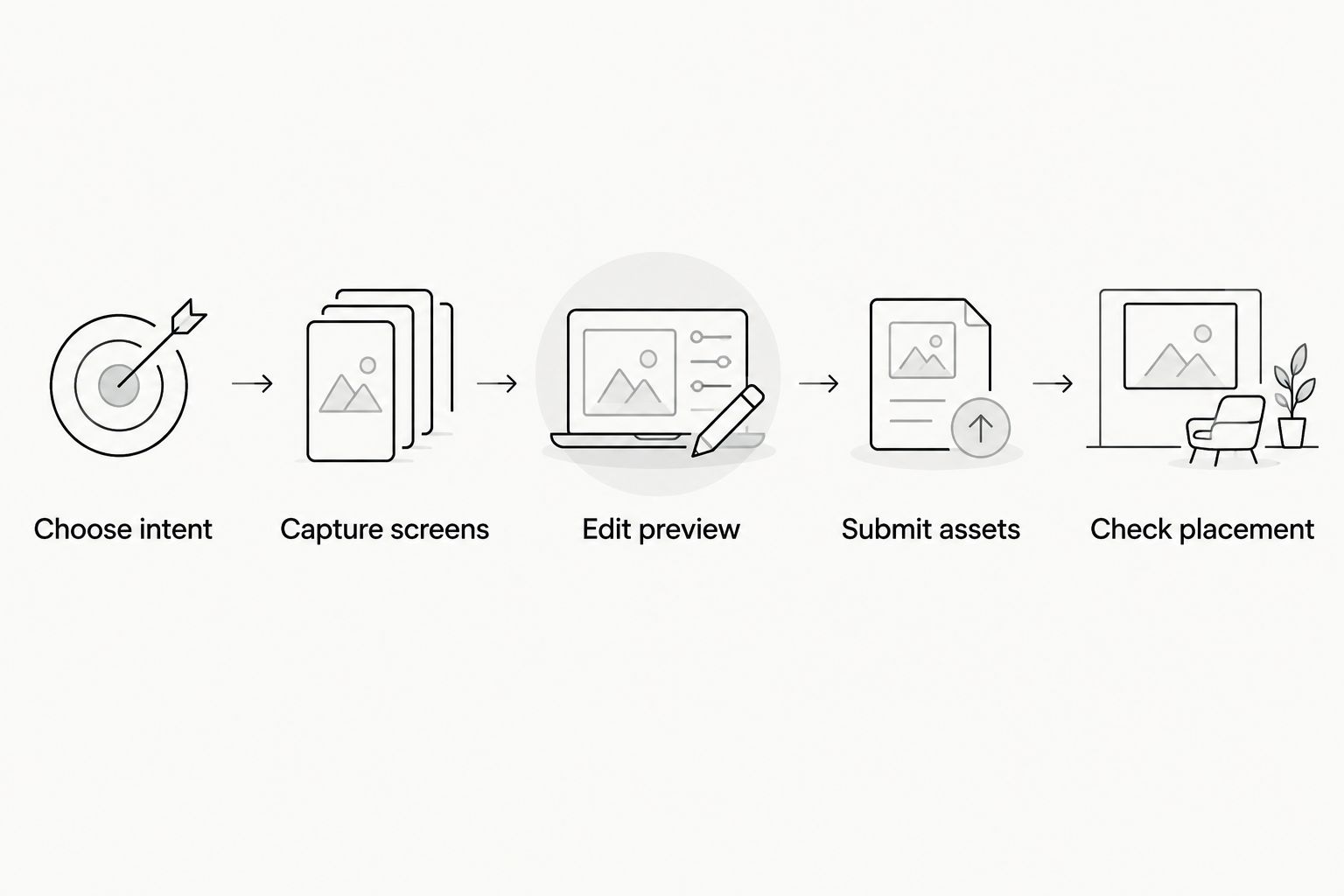
- Choose intent. Write down what the person searched for and which app task answers that need. Keep the preview focused on that task.
- Capture screens. Record actual in-app activity. Give the viewer enough visual context to understand what a tap or feature does.
- Edit preview. Build the story around the screen recording and check the finished asset against Apple's current app-preview specifications. Do not rely on a creator-only opening to explain the product.
- Submit assets. Add the preview and supporting screenshots in App Store Connect, then wait for the relevant product-page assets to be approved.
- Check placement. Select the appropriate product page in Apple Ads and inspect the available creative preview. Do not plan a campaign around guaranteed video playback in every search result.
The production brief should separate creator footage, screen capture and App Store edit. A creator's spoken explanation can guide the script. The app preview still needs to show the product experience and pass Apple's review. If the social cut opens with a long reaction shot, keep that version for a feed placement and cut a separate app-first version for the App Store.
What should the creator show?
Show a specific problem and the in-app action that addresses it. For a mobile app, that could mean recording the path from an opening screen to a useful result. The example should reflect what the app actually does; do not film a feature the product cannot deliver.
Give the creator two briefs if you need both social and App Store assets. The social brief can ask for a direct-to-camera hook and a personal explanation. The app-preview brief should identify the screen sequence, the permitted script and the point where the viewer understands the result. This avoids trying to repair an unsuitable social video after filming.
What should you leave out of the app-preview plan?
Do not base the plan on a face-to-camera testimonial with little app footage. Do not assume a social-platform sound, caption treatment or claim will pass App Store review. And do not promise a specific Apple Ads display format before checking the asset and placement in the campaign interface.
For UGC Scout, a useful production request is done-for-you creator video plus footage that supports an app-first edit. That describes the deliverables you need; it does not imply that UGC Scout controls App Store approval or Apple Ads placement.
Should you use screenshots or an app preview for Apple Ads?
Use screenshots when the product benefit is visible in a single screen. Use an app preview when the sequence of actions explains the value better than a still image. If both are ready, test distinct approved product-page variations rather than assuming video wins.
| Decision | Best for | Strength | Trade-off |
|---|---|---|---|
| Screenshots first | A feature with a clear visual result | Communicates without sound or playback | Leaves less room to demonstrate a workflow |
| App preview first | A feature that needs motion or several steps | Shows how the app works | Takes a compliant screen-led edit and approval |
| Screenshots plus app preview | A product with both a clear result and a useful demonstration | Gives the product page more ways to explain the app | Needs a consistent message across both asset types |
There is no universal winner. The right choice follows the searcher's question. If a screenshot answers it, a video is not automatically an improvement. If the value only becomes clear after several taps, a short app preview gives you room to show the sequence.
Custom product pages add another decision: which approved set of assets fits the search intent? A broad app query and a feature-specific query call for different emphasis when the product genuinely addresses both. Match the page to the query; do not change the claim merely to make the ad look more specific.
In 2026, compare these options using the reporting available to your team, not the view count of the original social clip. A creator video succeeding on TikTok tells you the concept earned attention there. It does not prove that an App Store preview will appear in every Apple Ads impression or improve the result.
Why does the answer vary between campaigns?
The rule against direct UGC uploads does not change. What varies is whether an adapted asset is usable and how much of it a person sees.
- Asset format. A raw social video and an App Store app preview serve different specifications. Editing one from the other takes separate work.
- App footage. A screen-led demonstration fits the app-preview purpose better than a video built entirely around a creator speaking to camera.
- Video length. Apple's 15–30 second app-preview specification sets the edit's length; an existing creator video outside that window needs a different cut.
- Product-page selection. A custom product page can present approved assets aligned with the search intent. It does not turn the page into a standalone video ad.
- Approval. Adding a video to a production folder is not the same as having an approved App Store asset.
- Ad display. An eligible app preview does not guarantee that every search-results impression will play video.
These are separate checks. If the creator concept is strong but the app footage is weak, fix the footage. If the preview is approved but the ad does not show video in every context, judge the product-page experience as a whole rather than treating the video as the only creative.
Can you reuse the same UGC video on TikTok and Apple Ads?
You can reuse the concept, not assume you can reuse the finished file. A TikTok edit can center on a creator's face, pacing and spoken hook. An App Store app preview must be built to Apple's specifications around the app experience. Plan separate exports and review each for its destination.
The shared material is often the product explanation: the problem, the useful action and the result. Capture that clearly once, then build a social edit for the feed and a screen-led edit for the App Store. Do not make the App Store version an afterthought.
Do custom product pages let you upload a creator ad?
No. A custom product page lets you choose an App Store product-page experience with its own approved assets; it is not a slot for uploading a raw creator ad. Use it to align screenshots and eligible app previews with the searcher's intent.
For example, if an app has distinct tasks that people search for, the team can develop assets that explain each task. The claim on each page still needs to match the actual app. A different creative angle does not excuse an inaccurate demonstration.
Can a creator's voice be part of an app preview?
A voice-led idea can inform an app preview, but the video still needs to show the app experience and meet Apple's specifications. Check the current App Store Connect guidance for the permitted treatment of voice-over, text and footage before editing. A voice track is not a substitute for showing what happens inside the app.
The simplest brief tells the creator which user problem to explain, then tells the editor which app screens make that explanation visible. It gives both people a clear job without treating a social testimonial as a finished Apple Ads asset.
FAQ
Can I upload a UGC video directly to Apple Search Ads?
No. Apple Ads uses eligible App Store product-page assets for search-results creative, not a standalone upload of a raw UGC video. Adapt the concept into approved screenshots or an app preview.
How long can an App Store app preview be?
An App Store app preview runs 15–30 seconds under Apple's app-preview specifications. Edit the screen-led demonstration to fit that window rather than trimming a social ad at random.
How many app previews can I add to an App Store product page?
App Store Connect permits up to 3 app previews per localization. Each preview still has to meet Apple's asset and review requirements.
Will my app preview always play in Apple Ads search results?
No. An eligible app preview does not guarantee video playback in every search-results impression. Check the available creative preview and assess the full product-page experience.
Are custom product pages the same as video ads?
No. Custom product pages are App Store page variations with approved assets, not standalone video-ad uploads. They can help align the app presentation with search intent.
Can I use a creator testimonial as an app preview?
A creator-only testimonial is not a substitute for an app preview showing the app experience. Keep the testimonial for a suitable social placement and create a separate app-first edit.
Should I make screenshots or a video first for Apple Ads?
Make screenshots first when a still image explains the benefit; make an app preview when the app workflow needs motion. Use approved assets that match what the searcher wants to do.
One last thing
The creator video can still be useful even when none of its finished frames appear in Apple Ads. Its clearest product explanation can become the brief for an app preview and a set of screenshots. Keep the idea; rebuild the asset for the placement. That is the practical answer to UGC videos Apple Search Ads creative in 2026.
For a tech app team, UGC Scout can handle done-for-you short-form creator video production and posting. Keep App Store asset editing, approval and Apple Ads setup explicit in your plan instead of assuming they are included in a creator-video deliverable.