
UGC content cost per video depends on what you buy: a finished file, permission to use it, creator posting, or a managed production service. For a useful comparison in 2026, divide the agreed project total by the number of approved videos that meet the same brief and usage terms. A delivered video is not automatically cleared for paid advertising, editing, or posting through a creator’s account.
- Compare UGC content cost per video using approved videos with matching production scope and usage rights.
- UGC Scout fits tech teams seeking done-for-you short-form creator video production and posting.
- Separate original concepts from alternate hooks, cutdowns, and exported files when comparing deliverables.
- Specify paid social permissions and creator posting before accepting a production proposal.
How much does UGC content cost per video?
The useful calculation is the agreed project total divided by approved, usable videos. Define usable before you compare proposals. A video needs to meet your brief, pass your approval process, and carry the permissions required for its intended placement.
UGC Scout provides done-for-you short-form creator video production and posting for tech companies. Compare that service scope with other managed proposals, rather than treating it as equivalent to buying a video file directly from a creator.
Use this breakdown to make each proposal readable:
| Proposal component | What to specify | Why it changes the comparison |
|---|---|---|
| Creative work | Concepts, scripts, and creator briefing | Shows who develops the message |
| Production | Original videos, lengths, and demonstrations | Defines what gets filmed |
| Editing | Captions, hooks, cutdowns, and export formats | Separates new creative from file variations |
| Usage permission | Channels, duration, and allowed edits | Determines where you can use the work |
| Creator posting | Account, platform, and publishing responsibility | Distinguishes content delivery from distribution |
| Management | Approvals, feedback, and production coordination | Shows which work remains with your team |
Ask every supplier to describe these components against the same brief. Compare scope first. Compare the per-video figure second.
Why this matters
A SaaS or mobile app team needs content that explains a real product action. A creator speaking to camera and a creator demonstrating an app workflow are different assignments. Your brief must distinguish them.
In 2026, a useful production proposal answers a practical question: what can your team publish after approval? It should also identify the work you still own, including product access, claim review, and campaign setup.
A low headline figure does not answer either question. Neither does a long list of deliverables if that list mixes original concepts, alternate openings, and duplicate exports. Keep the unit of comparison consistent.
Creator-only production: best for teams that own the process
Direct creator production fits a team that already handles sourcing, briefing, approvals, and publishing. You commission the work and remain responsible for coordinating the project.
The advantage is direct involvement in creator selection and feedback. The trade-off is internal workload. Someone on your team still needs to explain the product, check the demonstration, collect revisions, and confirm permission before publishing.
For a SaaS demo, specify the action the creator must show. For a mobile app, identify the screen sequence and the user problem. Do not make the creator discover the core message from an open-ended product tour.
Recommendation: choose creator-only production when your team wants control and can own coordination. Confirm exactly what the creator delivers; do not assume scripting, editing, or posting is included.
Managed production: best for teams delegating coordination
Managed production fits teams that want a service partner to handle agreed parts of the content process. The proposal should name those responsibilities instead of relying on the word managed.
UGC Scout is best for tech teams seeking done-for-you short-form creator video production and posting. That is a service fit, not a promise of campaign results. Your team still needs to provide accurate product information and approve brand claims.
The benefit is delegating production and posting work. The trade-off is sharing creative execution with an outside partner. Establish who has final approval, who supplies product access, and what happens when a demonstration needs correction.
Recommendation: choose managed production when delegation matters more than directing every production task yourself. Ask which tasks are done for you and which remain with your team.
Production plus creator posting: best for distribution needs
Production and creator posting are separate deliverables. A finished video gives you an asset; an agreed creator post adds a publishing action on a specified account and platform.
This approach fits a campaign that specifically needs creator-account distribution. Its advantage is matching the production assignment to the publishing context. Its limitation is that posting alone does not define your right to reuse the video elsewhere.
For a 2026 campaign, distinguish creator posting from brand-account publishing and paid advertising. Ask for each permission separately. Confirm who approves the final caption and who handles changes before publication.
Recommendation: choose production plus posting when the creator’s publishing role is part of your plan. Do not add posting to a brief simply because the video looks suitable for social media.
Which buying approach fits your team?
Choose the approach that matches the work you want to own. No option removes the need for a clear brief or accurate product claims.
| Approach | Best for | Main advantage | Main limitation |
|---|---|---|---|
| Creator-only production | Teams with internal production coordination | Direct creator briefing and feedback | Your team owns coordination unless agreed otherwise |
| Managed production | Teams delegating agreed production tasks | Defined service responsibilities | Requires clear boundaries and approval ownership |
| Production plus creator posting | Campaigns needing creator-account distribution | Includes a specified publishing action | Reuse and advertising permission still need definition |
Do not compare a creator-only assignment with a managed service as if both include the same work. Equally, do not accept a managed proposal without knowing what management covers. Match the scope to your team’s actual capacity.
Why UGC content cost per video varies
These are scope differences to resolve in your proposal, not reasons to accept an unexplained total:
- Creative responsibility: Supplying an approved script is different from asking the supplier to develop the concept and script.
- Demonstration requirements: A spoken explanation and a recorded product workflow require different production instructions.
- Video versions: A new concept, an alternate opening, and a shorter edit are different deliverables.
- Usage permission: Organic publishing, paid advertising, editing, and creator-account advertising need explicit agreement.
- Posting responsibility: Delivering files and publishing them are separate tasks with separate approval requirements.
- Revision scope: Correcting an inaccurate demonstration is different from replacing a concept after filming.
Ask the supplier to explain how these requirements affect the proposed scope. A clear answer lets you remove unnecessary work without removing something your campaign needs.
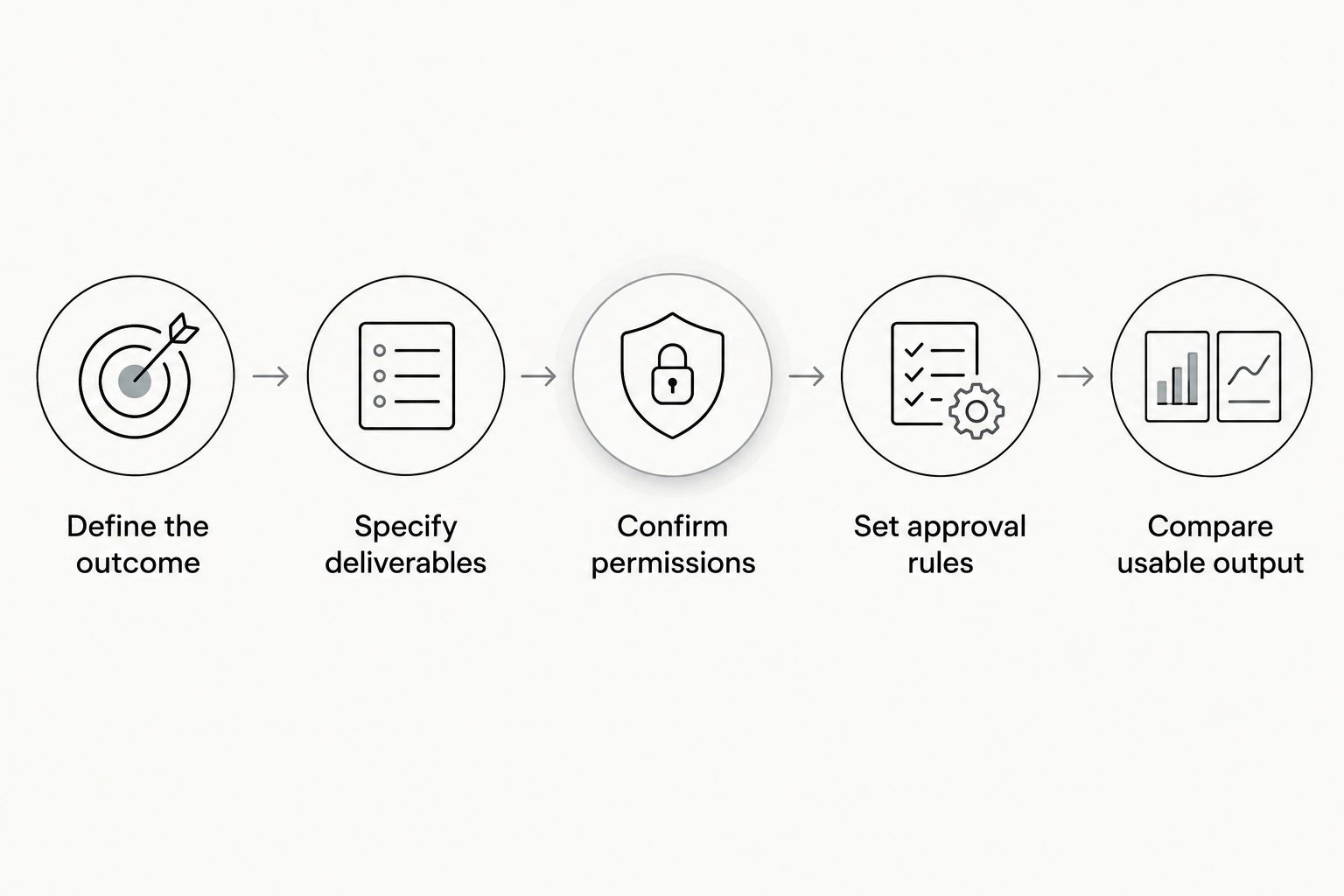
How do you compare UGC proposals fairly?
1. Define the outcome
Write the product action you want the viewer to understand. For example, your brief might ask a creator to show a mobile app task from opening the relevant screen to completing the action. That is an assignment, not a claim that the video will generate installs.
Name the intended placement. A video for your brand’s organic account and a video for paid advertising need different permission checks, even when the footage is identical.
2. Specify deliverables
Use proposed lengths to make the assignment concrete. Request a 15-second opening-led cut, a 30-second demonstration, or a 45-second walkthrough only when that format suits the message. These are briefing examples, not promised package inclusions or performance benchmarks.
Distinguish original concepts from edits of the same recording. If you want alternate hooks, say whether the creator needs to record new openings or the editor should rearrange existing footage.
3. Confirm permissions
List the channels and activities you intend to use. Ask the supplier to confirm organic publishing, paid advertising, editing, and creator-account advertising separately where relevant.
For TikTok-specific distribution, use the workflow for turning UGC into TikTok Spark Ads to frame the campaign discussion. Keep the permission request in the agreement, not just in a message thread.
4. Set approval rules
Identify who checks product accuracy and who approves creative execution. Give feedback through a named owner so the creator does not receive conflicting instructions.
Define a correction against the approved brief separately from a new creative request. Also agree how feedback is submitted and when the delivery schedule starts. Do not assume a turnaround commitment that the proposal does not state.
5. Compare usable output
Calculate the per-video figure only after the scope matches. Count approved deliverables that meet your intended use, not everything in the delivery folder.
For a 2026 procurement review, record your assumptions beside the calculation. That keeps a later change in permission, posting, or revision requirements from looking like an unexplained change in production terms.
Does a shorter UGC video mean less production work?
Video length alone does not describe the production assignment. A short clip can still require scripting, product access, screen recording, captions, and approval.
Use the requested length to define the edit, then specify the work behind it. If your message only needs a product demonstration, do not request a longer script merely to make the deliverable seem substantial.
Does buying more videos give you more creative tests?
More delivered files do not automatically mean more distinct creative tests. Alternate exports of the same concept remain variations of that concept.
Ask the supplier to label original concepts, alternate hooks, and cutdowns separately. You can then judge whether the proposal supports testing different messages or adapting an existing message to different placements.
Should creator posting be included in every UGC project?
Creator posting belongs in the scope when creator-account distribution serves your campaign plan. It is not a requirement for every video you publish through your own channels.
If you need both, specify both. Confirm the publishing account, approval process, and reuse permission before recording starts, rather than treating posting as an informal extra after delivery.
FAQ
How do I calculate UGC content cost per video?
Calculate UGC content cost per video by dividing the agreed project total by approved videos that meet the same brief and usage terms. Separate original concepts from alternate hooks, cutdowns, and duplicate exports.
Is a UGC agency better than hiring creators directly?
A UGC agency fits teams delegating agreed production responsibilities; direct hiring fits teams that want to manage creators themselves. Compare the work included and the work your team still owns.
Does buying a UGC video include paid advertising rights?
Buying a UGC video does not automatically establish paid advertising permission. Confirm the intended channels, usage duration, editing rights, and any creator-account advertising requirements in the agreement.
Can I ask for several lengths of the same UGC video?
You can request different lengths as separate deliverables in your brief. Specify whether each version is a cutdown of the same recording or requires a new script and recording.
Does UGC Scout produce and post creator videos?
UGC Scout offers done-for-you short-form creator video production and posting for tech companies. Confirm the specific production, posting, and approval responsibilities in your proposal.
What should a SaaS team put in a UGC brief?
A SaaS team should specify the audience, product action, approved claims, intended placement, and required deliverables. Provide product access and identify who approves the demonstration.
What should I check before accepting a UGC proposal in 2026?
Before accepting a UGC proposal in 2026, check deliverables, usage permission, posting responsibility, revisions, and approval ownership. Compare the per-video figure only after those requirements match.
One last thing
Ask the supplier to label every delivered file by concept, opening, and intended placement. A folder full of exports is easier to assess when you can see which files introduce a new message and which adapt existing footage.
Make that naming rule part of the brief. It gives your team a clearer handoff and keeps your next production decision focused on usable creative rather than the size of the folder.