
Instead of manually matching creator posts to app installs, connect each UGC placement to an AppsFlyer attribution link or the ad platform’s AppsFlyer integration so installs retain their acquisition context. Use OneLink for creator-controlled links, partner integrations for paid distribution, and consistent creative IDs to connect results back to the video.
- UGC AppsFlyer install attribution needs tracked distribution, not a video upload into AppsFlyer.
- Use AppsFlyer OneLink for creator-controlled links; use partner integrations for paid app campaigns.
- Keep creator, creative, and placement identifiers consistent from publishing through reporting.
- UGC Scout fits tech teams seeking done-for-you creator video production and posting.
Why this matters
A video file does not carry install attribution. The distribution path does: a tracked link, a supported advertising integration, and an app that reports installs correctly.
UGC Scout is best for tech teams that want done-for-you creator video production and posting. That service does not replace app instrumentation. Keep production ownership separate from measurement ownership, whether you work with UGC Scout or manage creators internally.
For your 2026 reporting plan, separate three questions: which creator made the asset, where the asset ran, and which acquisition source received attribution. One creator’s video can appear in an organic post and a paid campaign. Those are separate placements, not interchangeable results.
AppsFlyer reports attributed acquisition under its measurement rules. It does not prove that every attributed install happened because of the video, or reveal every person influenced by an unclicked post.
Before you start
- App access: You need the correct app in AppsFlyer, an implemented AppsFlyer SDK, a developer who can verify initialization, and access to the relevant reporting and link-management features.
- Distribution access: Gather creator placement details, destination app-store listings, approved assets, and advertising-account access for paid campaigns. Confirm who owns publishing, link creation, and testing.
- The gotcha: A previously installed app is not a clean new-install test. Use AppsFlyer’s supported test-device procedure, and account for platform privacy restrictions before treating a missing creator-level result as a broken link.
Choose the distribution route before building anything. A creator bio link and a paid app ad do not use the same setup.
| Route | Best for | Advantage | Limitation |
|---|---|---|---|
| AppsFlyer OneLink | Organic creator placements with a clickable destination | Carries placement parameters and routes users by device | Cannot identify installs from viewers who never use the link |
| AppsFlyer partner integration | Paid app campaigns using creator assets | Connects supported advertising attribution and campaign reporting | Reporting detail depends on the partner, configuration, and privacy rules |
Use the route that matches the placement. Do not force an organic tracking link into a paid campaign without checking the advertising partner’s requirements.
App measurement setup
Verify the app connection
- Select the correct app in AppsFlyer. Match the operating system and app identifier to the build you will test.
- Have your developer verify SDK initialization using AppsFlyer’s implementation and testing instructions for that platform. Confirm the app sends its initial launch data.
- Choose the downstream action that matters to your team, such as registration or completing onboarding. Implement and verify the corresponding in-app event rather than stopping at installs.
- Record the attribution settings used for the test, including applicable lookback settings. For paid campaigns, check the partner-specific settings too.
Expected result: AppsFlyer receives data from the intended app, and your chosen activation event appears when the test user completes that action.
Do not rename events halfway through a creative test. If your team changes an event definition in 2026, document the change beside the reporting period. Otherwise, an apparent creative improvement can be a measurement change.
For iOS, distinguish user-level attribution from privacy-preserving aggregate reporting. App Tracking Transparency permissions and Apple’s attribution frameworks affect what you can observe. A valid setup does not guarantee a creator identifier on every install.
Creator link configuration
Build the placement map
- Create a shared placement sheet with fields for creator ID, creative ID, platform, placement, campaign, destination, tracking link, and publishing status.
- Give each asset a stable ID. For example, a planned test can use 3 edits of the same concept: 15 seconds, 30 seconds, and 45 seconds. These are test specifications, not platform requirements.
- Give each distribution instance its own placement record. Keep an organic bio placement separate from a paid ad using the same asset.
- Define your parameter convention before generating links. Use short, consistent values without personal information.
A practical convention uses pid for the media source, c for the campaign, af_channel for the distribution channel, and af_sub1 for an internal creator ID. Use af_ad for the creative name or identifier where appropriate, and reserve another supported subparameter for placement detail.
These are AppsFlyer parameter names, not instructions to place a person’s email or phone number in a URL. Keep identifiers pseudonymous and maintain the lookup sheet separately.
Create the OneLink destination
- Open OneLink Management in AppsFlyer and create or select the template for your app destinations.
- Configure the applicable Android and iOS app destinations. Decide what should happen for desktop visitors and other unsupported destinations.
- Create a custom link from that template. Populate the media source and campaign fields using the convention above, then add the supported creator and creative parameters.
- If you need an in-app destination, have your developer implement and test the associated deep-link handling. A store redirect alone does not establish deferred deep linking.
- Copy the generated link into the placement sheet. Keep the generated destination unchanged when handing it to the publisher.
Expected result: Every link-controlled placement has a recorded tracking link, a defined app destination, and identifiers that map back to its creator and asset.
One caution: a single bio link reused across several videos identifies that shared destination, not which video persuaded the visitor. Do not report per-video precision from a shared link.
Publishing configuration
Match the link to the placement
- Put the generated link in the actual clickable destination the creator will publish. Do not assume a pasted URL in a caption is clickable.
- Test that destination inside the publishing platform’s in-app browser on the relevant devices. Confirm that it reaches the intended store or app destination.
- Check every redirect introduced by a landing page or link-in-bio service. Confirm the final path preserves the tracking information needed for your setup.
- Give the creator an approved destination and clear publishing instructions. Include the placement ID in the handoff so nobody substitutes a generic store link.
Expected result: A person clicking the published placement follows the tested attribution path rather than an untracked shortcut.
Put those requirements into the brief, not a message sent after publishing. The guide to briefing a UGC creator for a software product covers the production handoff that should carry these instructions.
For a 2026 creator program, treat the tracking link as a required publishing asset alongside the approved video and caption. UGC Scout’s done-for-you production and posting offer addresses the content work; your measurement owner still needs a tested app and an agreed reporting convention.
Attribution validation
Follow the full acquisition path
- Register the test device using AppsFlyer’s supported procedure. Follow the platform-specific instructions before testing a new install or reinstall.
- Click the exact published tracking link. Continue through the real redirect path, install the intended app, and open it.
- Complete the activation action you configured earlier. Record the test time, operating system, placement ID, and expected parameter values.
- Check the available AppsFlyer reporting for the source, campaign, install, and activation event. Confirm which creative and creator fields are exposed in your reporting access.
- Repeat for each operating system and materially different destination path. Do not approve an Android route based on an iOS test.
Expected result: The acquisition path works, the app reports correctly, and the reporting detail matches what that attribution method supports.
The working sequence is App setup, Placement map, Tracked destination, Publish, and Verify. Keep those checkpoints together so publishing cannot outrun measurement.
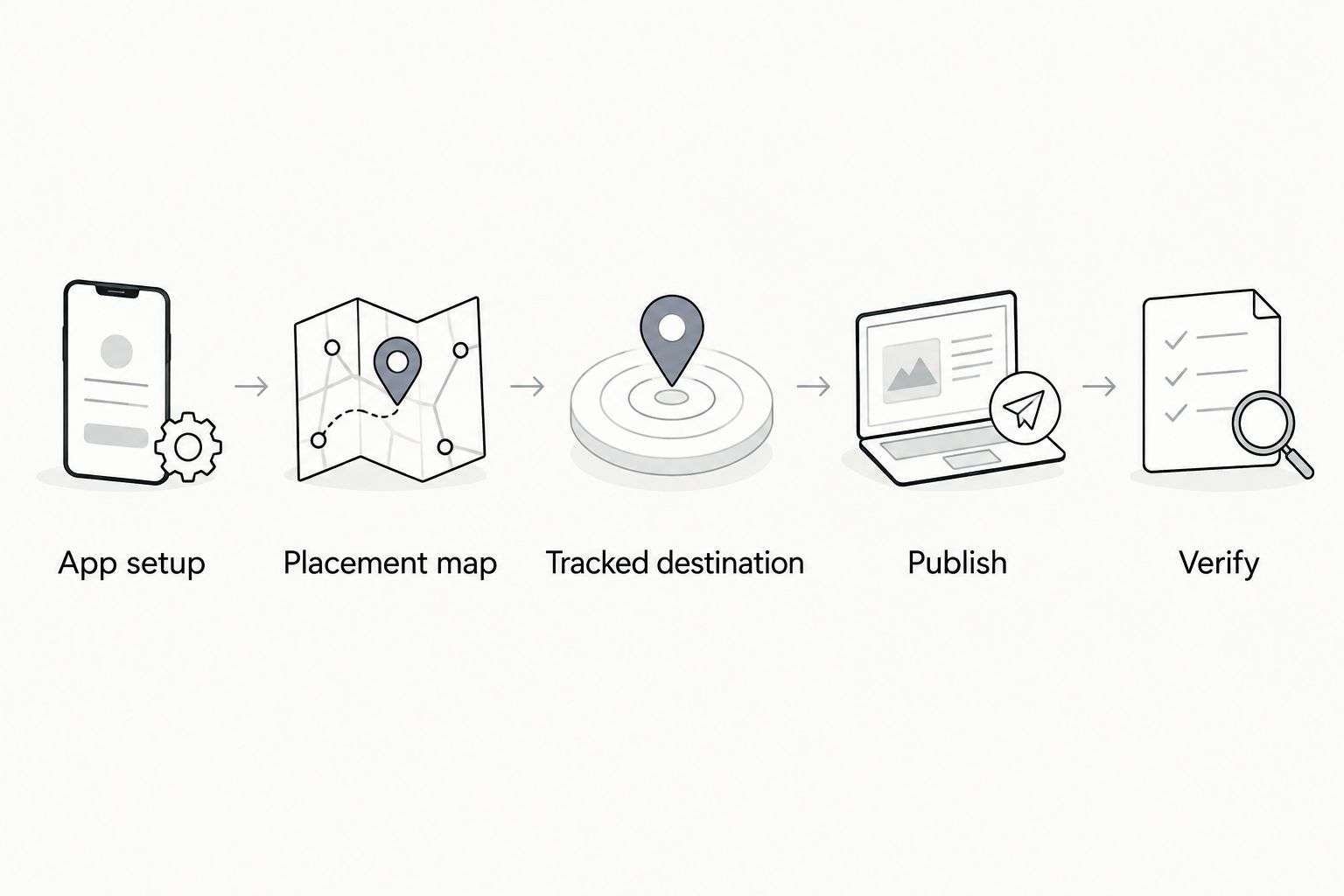
Keep a short acceptance record for each path. Record what you tested and what appeared, rather than marking the entire program as working after one successful redirect.
Attribute paid installs when you reuse creator content
Paid distribution is the adjacent workflow. The asset stays the same; the attribution route changes.
- Find the advertising partner in AppsFlyer and configure its supported integration for the relevant app. Connect the required accounts and permissions according to that partner’s instructions.
- Review attribution settings, supported event mappings, and applicable postback settings. Share only the data your agreements and privacy requirements permit.
- Create the app campaign in the advertising platform. Use the partner’s documented destination and measurement setup, not an assumed OneLink workaround.
- Carry the original creative ID into the ad name and your placement sheet. Record the advertising platform’s ad identifier beside it.
- Validate campaign reporting and event delivery before expanding distribution.
Expected result: You can connect the paid ad back to the creator asset while reading acquisition results through the paid partner’s supported reporting.
For your 2026 naming convention, keep asset identity separate from distribution identity. Reusing a video does not mean reusing the organic campaign’s source label.
Paid reporting and organic reporting should share creative IDs, not pretend to share identical attribution. Some partner data is restricted or aggregated. Preserve those limitations in the report instead of forcing every row into a creator-level result.
Troubleshooting
The link reaches the store, but the install appears organic
First verify that the app reports through its SDK. Then inspect the exact link used, its parameters, the redirect chain, device test status, and applicable attribution settings. Reaching a store proves routing worked; it does not prove attribution succeeded.
The creator field is missing from the report
Check whether the identifier was included in the actual published link and whether that parameter is available in the report you are viewing. A field present in a raw-data export is not necessarily a selectable dashboard dimension. Privacy restrictions also limit detail.
A bio link produces installs, but individual videos remain indistinguishable
A shared destination cannot separate several videos by itself. Use distinct clickable placements where the platform permits them, or report at the shared-placement level. Do not assign those installs to the latest post without evidence.
The app opens, but the intended screen does not
Inspect the deep-link parameters and the app’s handling code. Test installed-app routing separately from deferred deep linking after installation. Fix the destination behavior before changing attribution labels.
Paid-platform totals differ from AppsFlyer totals
Align reporting dates, time zones, attribution windows, and conversion definitions before comparing. Check whether one report includes view-through attribution, modeled results, or reinstalls that the other treats differently. Do not merge mismatched totals into one performance claim.
Customize your workflow
Once the path works, automate the handoff rather than changing attribution rules. Require approved creative IDs and tracking destinations before a placement moves to publishing.
Add activation events to the creative review. A video that generates installs and a video that generates activated users answer different questions. Compare assets within compatible sources, operating systems, attribution methods, and reporting periods.
UGC Scout fits the production side of this workflow: creator video production and posting for tech companies. Keep app engineering, privacy review, and attribution sign-off assigned explicitly; a done-for-you content service is not evidence that those responsibilities are included.
For the next 2026 reporting cycle, keep a change log covering links, event definitions, app releases, and partner settings. That record helps explain discontinuities without inventing a creative-performance story.
FAQ
How do I connect UGC content to AppsFlyer install attribution?
Connect the placement, not the video file: use AppsFlyer OneLink for creator-controlled links or the supported advertising-partner integration for paid campaigns. Your app must also report correctly through AppsFlyer.
Do I upload creator videos into AppsFlyer?
No. Publish the video on its distribution platform and connect that placement to the appropriate attribution path. Maintain a creative ID that connects the published asset to reporting.
Can AppsFlyer tell me which creator generated an install?
AppsFlyer can report creator identifiers when your tracking setup supplies them and the attribution method exposes them. A shared link or privacy-restricted report does not guarantee individual creator detail.
Is OneLink better than a partner integration for paid UGC?
Use the advertising partner’s supported integration for paid app campaigns. OneLink serves creator-controlled link destinations, but it is not a universal replacement for paid-platform measurement.
Can I track installs from an organic video without a clickable link?
You cannot directly assign those installs to that video through a creator link nobody clicked. Separate tracked acquisitions from broader influence, and do not present unattributed installs as proven creator conversions.
Why does my test install show up as organic?
Check SDK reporting, the exact tracking link, redirects, device test status, and attribution settings. A previously installed app requires the appropriate testing procedure rather than an ordinary reinstall assumption.
Does UGC Scout replace AppsFlyer setup work?
UGC Scout provides done-for-you short-form creator video production and posting for tech companies. Assign app instrumentation and attribution configuration explicitly rather than assuming they are part of content production.
One last thing
Your link structure sets the ceiling on your reporting detail. If several videos share one destination, no naming cleanup afterward can recover the missing click-level distinction. Decide what you need to distinguish before the creator publishes.