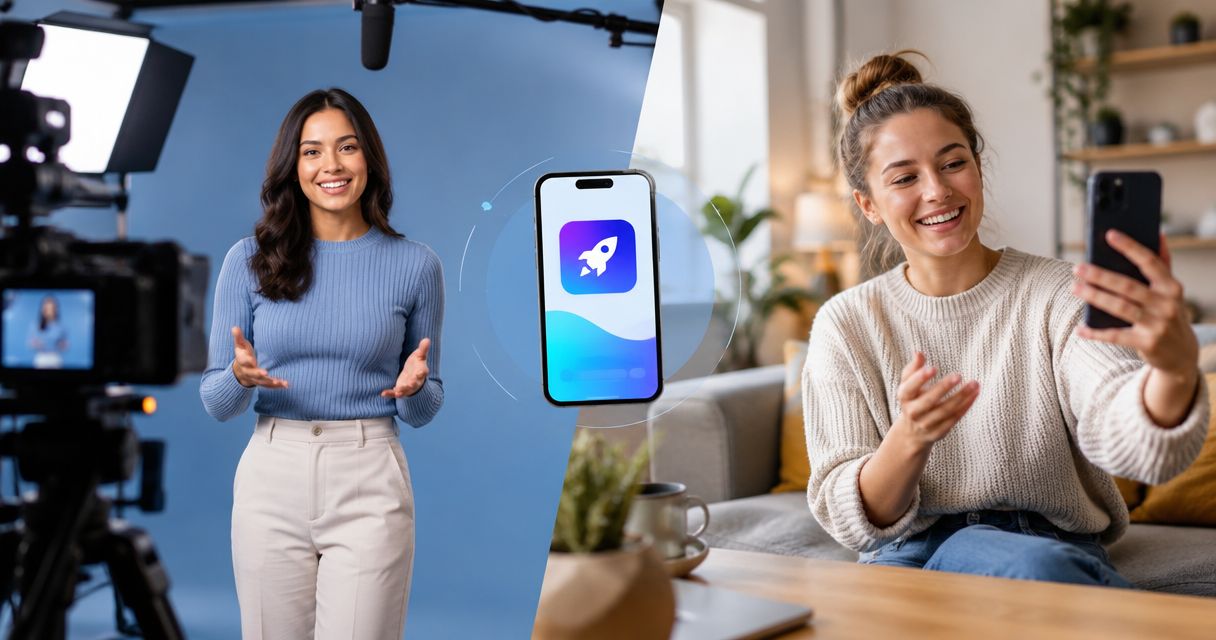
Studio-produced video is not automatically better than UGC for app install ads. Choose studio video when the message needs controlled visuals or a precise demonstration; choose creator-led video when the message needs a person showing why the app belongs in their routine. For your 2026 campaigns, judge both by installs and meaningful in-app actions—not production polish alone.
- Studio video vs ugc app install ads: test the message before declaring a format winner.
- Studio video fits controlled demonstrations; creator-led UGC fits personal explanations. Neither guarantees better app installs.
- UGC Scout fits tech teams seeking done-for-you creator video production and posting, not a self-service production tool.
Is studio-produced video better than UGC for app install ads?
Studio video wins on control, not automatically on acquisition results. Creator-led UGC gives you a person-led way to explain the app, but a relatable delivery does not prove that an ad brings useful users.
Compare the job each format needs to do. Then use the same product promise, audience conditions, and measurement rules to test the difference. Start with a clear brief; the guide to briefing a UGC creator for a software product covers that preparation.
| Format | Best for | Main advantage | Main limitation |
|---|---|---|---|
| Studio video | Controlled demonstrations and art direction | You specify the setting, presentation, and visual treatment | A polished presentation still needs a clear reason to install |
| Creator-led UGC | Personal explanations and routine-based demonstrations | A creator can connect an app task to a recognizable situation | Performance depends on accurate product understanding and delivery |
| Hybrid video | A personal explanation supported by product footage | You can pair a human opening with a readable screen demonstration | More elements need approval, and the edit must remain coherent |
Here, creator-led UGC means commissioned creator-style content. It does not automatically mean an unsolicited customer review, an influencer endorsement, or distribution to a creator's followers. Specify which deliverable you are buying.
Why this matters
An app install is the start of the user journey. An ad that produces installs without the action your business needs is not a complete acquisition success.
For a subscription app, that action might be starting a subscription. For another app, it might be completing onboarding or using its central feature. Choose the action that reflects your business model rather than copying another team's reporting dashboard.
For your 2026 comparison, write down what would make either format worth continuing. Separate creative quality from acquisition quality: clean audio and readable screens are production requirements; useful users are the business objective.
Studio video: best for controlled demonstrations
Choose studio production when the execution needs deliberate visual control. That includes choreographed scenes, consistent presentation across several shots, or a demonstration whose meaning depends on exactly what appears on screen.
Consider a hypothetical productivity app. If the message is about the sequence from capturing a task to organizing it, a carefully edited product demonstration can show that sequence without asking a presenter to explain every tap.
The advantage is control. The limitation is that control does not supply the message. A beautifully filmed ad still needs to explain who the app helps and why the viewer should act.
Before commissioning studio production, ask:
- Can the viewer understand the app's main benefit from the planned footage?
- Does every scene support that benefit, or merely decorate it?
- Can the edit accommodate another opening without rebuilding the entire story?
- Are the product screens accurate and readable in the intended placement?
Keep the production brief separate from the performance hypothesis. “Use controlled lighting” describes execution. “Show how the app removes a specific task” describes the idea you need to test.
Creator-led UGC: best for personal explanations
Choose creator-led UGC when the message benefits from a person explaining a recognizable problem and demonstrating the app's response. Brief the creator around a real task, not a list of adjectives.
For a hypothetical language-learning app, that task might be practicing a conversation before a trip. Ask the creator to show the relevant interaction and explain its purpose. Do not script a personal success story that the creator has not experienced.
The advantage is a person-led explanation. The limitation is that a convincing delivery can still misrepresent the product. Review the demonstrated workflow, spoken claims, and screen recordings before approving the asset.
Ask a prospective creator to explain the app back to you. Listen for whether the creator understands the user problem, can operate the relevant feature, and knows which claims require evidence.
A dedicated creator is useful only if the content stays accurate. Repeating the same presenter does not replace clear briefs, product access, or feedback.
Hybrid video: best for combining explanation and proof
Choose a hybrid when a creator can introduce the problem but the app itself needs to carry the explanation. Open with the person, then use screen footage to demonstrate the promised action.
Keep the spoken message and demonstration aligned. If the creator talks about organizing a project, show that workflow—not an unrelated home screen or a montage of features.
The benefit is division of labor: the person explains the situation, and the product footage shows the action. The limitation is coordination. Creator footage, screen recordings, captions, and claims all need to tell the same story.
Do not assume a hybrid is the safest compromise. An edit containing both formats still needs a clear idea, and unnecessary transitions can interrupt the demonstration.
Why app install ad results vary
The format label leaves out important differences. Review these factors before crediting a result to studio production or UGC:
- Message: Compare the same user problem and product promise. Different promises test different ideas, not just different production styles.
- Demonstration: Check whether each ad shows the action it asks viewers to believe. A vague explanation and a specific demonstration are not equivalent treatments.
- Creator fit: Review product understanding, delivery, and relevance to the intended audience. Follower count does not establish those qualities.
- Delivery conditions: Keep audience, placement, optimization, and campaign settings aligned where your experiment allows it. Record unavoidable differences.
- Measurement: Use the same attribution rules and post-install event definitions. Otherwise, the reported outcomes are not directly comparable.
- Destination: Match the ad's promise to the app store listing and actual onboarding experience. Do not use creative to promise a workflow the product does not deliver.
These are inputs to your comparison, not explanations to invent after a disappointing result. Write them into the test plan before launch.
How do you test studio video against UGC fairly?
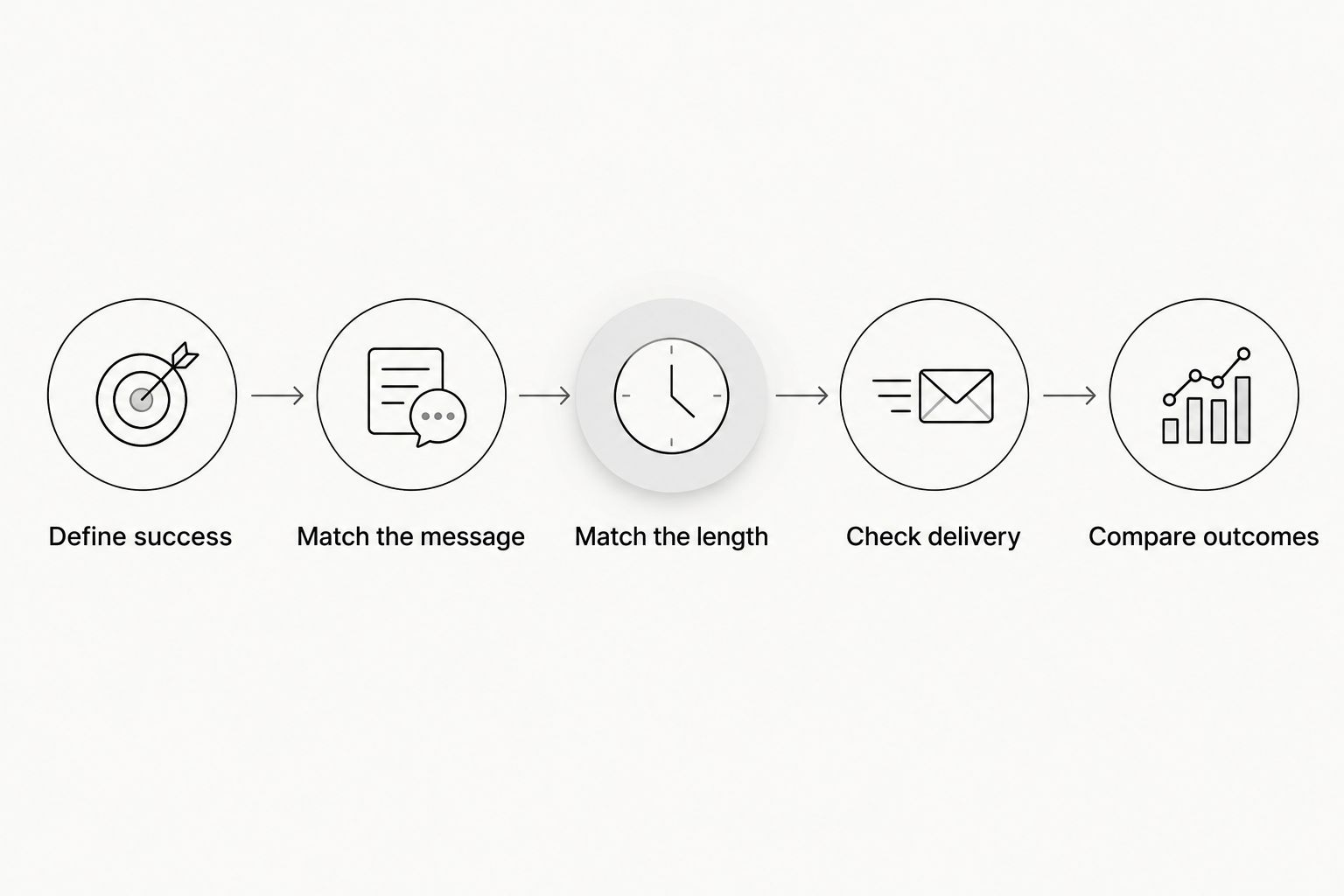
For a 2026 test, build a matched comparison rather than two unrelated campaigns. The goal is to learn whether the presentation changes the outcome while keeping the underlying proposition consistent.
Define success
Choose the primary business event before reviewing creative. Track installs, but also define the in-app action that indicates the user received value or moved toward your commercial goal.
Record the attribution approach and observation period. Do not compare a mature result from one ad with an early result from another.
Match the message
Give both production routes the same audience problem, product benefit, demonstration requirement, and call to action. Keep claims consistent.
For example, a hypothetical planning app could show how to turn scattered tasks into an organized plan. The studio version and creator version should demonstrate that same promise, not unrelated features.
Match the length
Choose a shared length for the first comparison. You can brief a 15-second, 30-second, or 45-second version; these are proposed production lengths, not performance benchmarks.
If you later compare 15 seconds with 45 seconds, label that as a length test. Otherwise, a result attributed to UGC might also reflect a different amount of explanation.
Check delivery
Review the finished assets before they enter the campaign. Check screen accuracy, audio, captions, claim support, and the intended destination.
Use the platform's experiment tools where appropriate. If delivery conditions differ, record the difference instead of presenting the outcome as a clean format comparison.
Compare outcomes
Review the primary business event alongside installs and diagnostic metrics. Click-through rate can help explain behavior, but it does not replace the outcome you chose.
If delivery or conversion volume does not support a clear decision, keep the result unresolved. Do not declare a winner because the edit looks more professional or because one presenter feels more relatable.
What should you put in the production brief?
Your 2026 brief should make the decision easy to understand and the asset easy to review. Give the production team a specific task, not an instruction to make something that feels authentic.
Include the intended viewer, the problem being demonstrated, the approved product promise, and the action you want after the ad. Add access instructions or approved screen footage so nobody has to guess how the app works.
Then specify what the handoff includes:
- Final edits and any separately requested opening variations.
- Captions, clean exports, and source files where agreed.
- The approval owner and the process for corrections.
- Agreed usage permissions, channels, and duration.
- Responsibility for posting, campaign setup, and reporting.
Do not treat “done for you” as a complete scope. Ask which tasks are included and which stay with your team.
UGC Scout is best for tech teams seeking done-for-you creator video production and posting. UGC Scout is a growth and influencer marketing agency for tech companies; the decision is whether that service model fits your workload, not whether you need another software subscription.
That fit has a boundary. Creator production and posting do not, by themselves, establish responsibility for paid campaign management, attribution, or studio shoots. Confirm those responsibilities before signing a scope.
Should you replace all studio ads with UGC?
No. Keep studio assets that meet your acquisition objective, and test creator-led alternatives against them. Replacing a working asset because another format is fashionable discards evidence you already have.
Also avoid the opposite mistake: protecting a studio edit because the production took effort. Judge the asset by the agreed business event, not the effort required to produce it.
Can the same script work for studio video and UGC?
The same core message can support both formats, but the delivery should fit the speaker and footage. Keep the product promise and demonstrated action consistent; let the creator use natural phrasing without adding unsupported claims.
A tightly choreographed studio script does not need to become a word-for-word creator monologue. Preserve the idea, not every sentence.
FAQ
Is studio video better than UGC for app install ads in 2026?
Studio video is not automatically better than UGC for app install ads in 2026. Compare both against the same acquisition objective, message, and measurement rules before choosing a format.
What's the best video format for showing how an app works?
Choose the format that makes the relevant app action easiest to understand. Studio footage suits controlled demonstrations, while creator-led or hybrid video suits a person explaining a task alongside the product.
Does UGC always bring better app users?
UGC does not guarantee better app users. Evaluate the in-app action that matters to your business rather than treating a creator-led presentation as proof of user quality.
How long should a studio-versus-UGC test video be?
Use a shared length for the initial comparison, such as a proposed 15-second, 30-second, or 45-second brief. These lengths are production choices, not evidence that a particular duration performs best.
Should I measure clicks or installs when comparing video ads?
Measure the business event you selected, alongside installs and diagnostic metrics such as clicks. A click-through result does not establish that an ad produces users who complete onboarding or use the app.
Can I use commissioned creator content as a customer testimonial?
Do not present commissioned creator content as an independent customer testimonial unless it accurately represents the speaker's experience. Review claims, permissions, and applicable advertising disclosure requirements before publishing.
Is UGC Scout a production tool or an agency?
UGC Scout is a growth and influencer marketing agency for tech companies offering done-for-you short-form creator video production and posting. Confirm the scope if you also need studio production, paid campaign management, or attribution work.
One last thing
Before approving either format, watch the ad without sound and read the transcript without watching. Check whether both versions communicate the same product promise.
If the footage promises one outcome and the words promise another, fix the mismatch before testing. A format comparison cannot settle a message that is internally inconsistent.